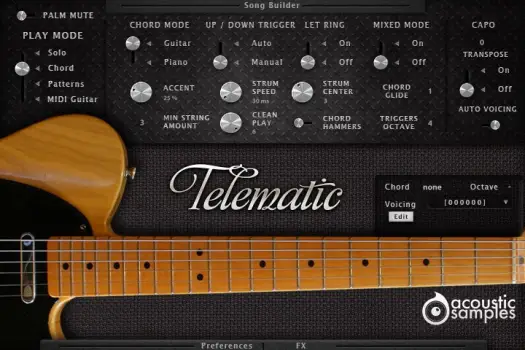
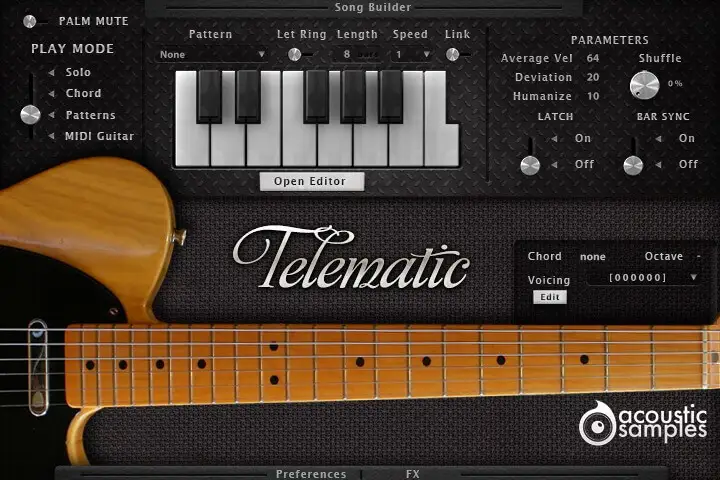
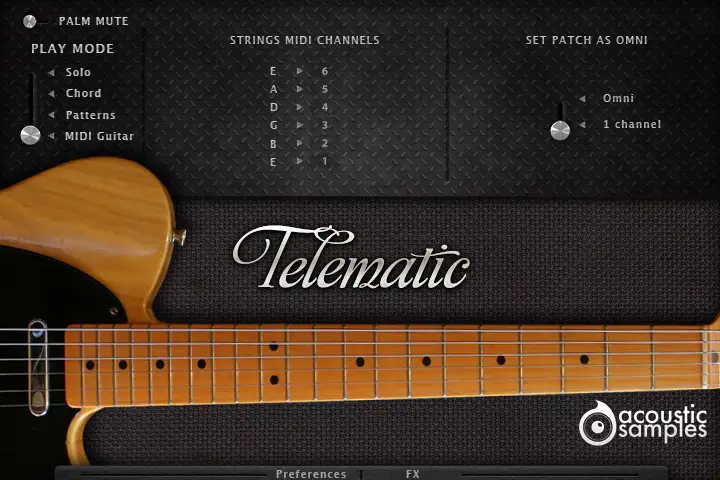
Patterns panel
Triggers: assign 13 patterns of your choice to 13 notes, from C4 to C5, or click the keys on the interface. Starting a pattern stops the previous one, releasing the key stops it, and the velocity you play sets the velocity of the whole pattern
Let Ring: whether the "off" events in the pattern are played
Length: the length of the pattern, from 1 to its full length, to fit the time signature of your song (odd numbers too)
Speed: plays the pattern at other speeds, half or double for example
Link: makes Let Ring, Length and Speed global for all patterns, or applies them to the selected pattern only
Average Vel: the centre velocity of the pattern. It starts at the velocity of the trigger and can be modulated from a MIDI controller - the modulation wheel by default
Deviation: the spread between the lowest and highest velocities of the pattern's events, also modulatable in real time
Shuffle: adds groove without quantizing, so the playing stays realistic
Latch: when on, a key starts the pattern and pressing it again stops it
Bar Sync: a pattern only starts at the next bar - useful when working in a sequencer
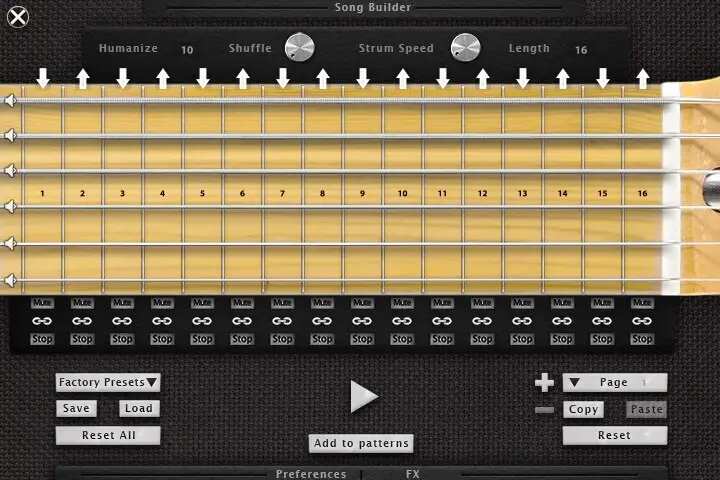
Pattern Maker
Grid: a step sequencer made for guitar strumming: each fret is a quarter note, and you can add a whole chord or, with the link icon off, a single string. Events on the same step are strummed with the strum engine's settings
Velocity: select an event and drag over it; a velocity of 0 removes it
Arrows: the up and down arrows at the top set the strum direction
String mute: the speaker icon to the left of a string mutes it completely
Mute and Stop: each step's Mute button plays a muted chord, and Stop releases the chord at the end of the step
Strum Speed: the strum speed of the pattern
Shuffle and Humanize: general controls, the same as on the patterns panel
Pages: create as many pattern pages as you want for variations on one key; copy, paste and reset a page or the whole pattern. Import the factory presets and modify them, save and reload your patterns, preview them, and Add to patterns puts them at the bottom of the patterns list

 VBrass French Horns
 VHorns Alto Saxophones
 VHorns Baritone Saxophones
 VHorns Bass Trombone
 VHorns Cornet
 VHorns Euphonium
 VHorns Flugelhorn
 VHorns Muted Trumpet
 VHorns Soprano Saxophones
 VHorns Sousaphone
 VHorns Tenor Saxophones
 VHorns Trombone
 VHorns Trumpet
 VHorns Valve Trombone
 VWinds A Clarinet
 VWinds Alto Flute
 VWinds Bass Clarinet
 VWinds Bass Flute
 VWinds Basset Horn
 VWinds Bassoon
 VWinds Bb Clarinet
 VWinds C Flute
 VWinds Contrabass Clarinet
 VWinds Contrabass Flute
 VWinds Contrabassoon
 VWinds Eb Clarinet
 VWinds English Horn
 VWinds Oboe
 VWinds Piccolo


 VHorns Brass Section
 VHorns Extended Brass
 VHorns Saxophones
 VWinds Clarinets
 VWinds Double Reeds
 VWinds Flutes
 AS Piano Collection
 AS Drums Collection
 AS Bass Collection
 AS Free Collection
 AS Guitar Collection
 Balani
 E-PIAN
 VibysM
 Marchin
 SmallDrumKits
 WoodBoxes
 AkousKontr


 Elektron
 JazzGuitarysm