
User guide

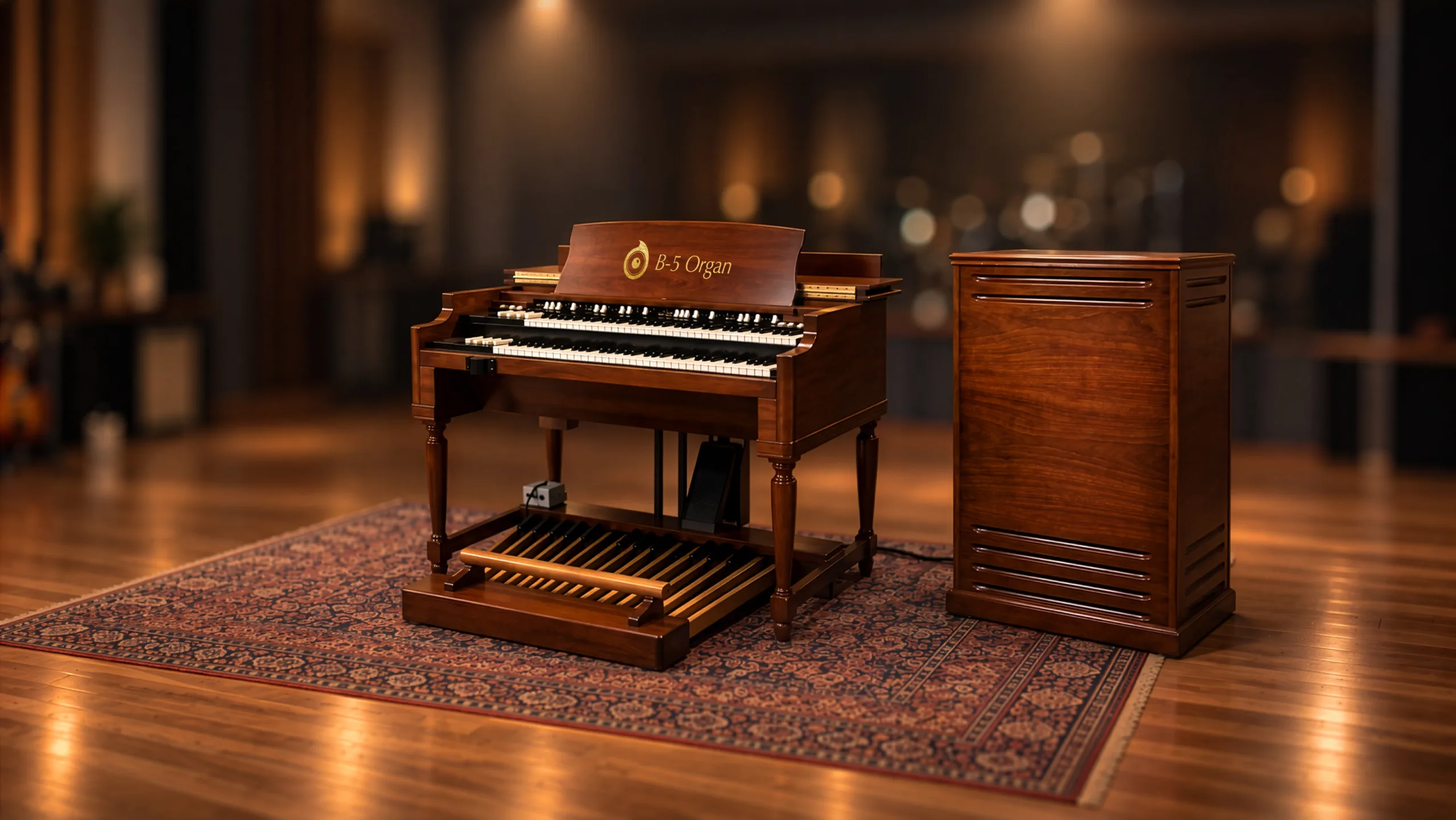
Sampling/modeling hybrid recreation of the one of the all-time greats - the Hammond B3 and its Leslie speaker.
Overview
A Hybrid Approach
Interface
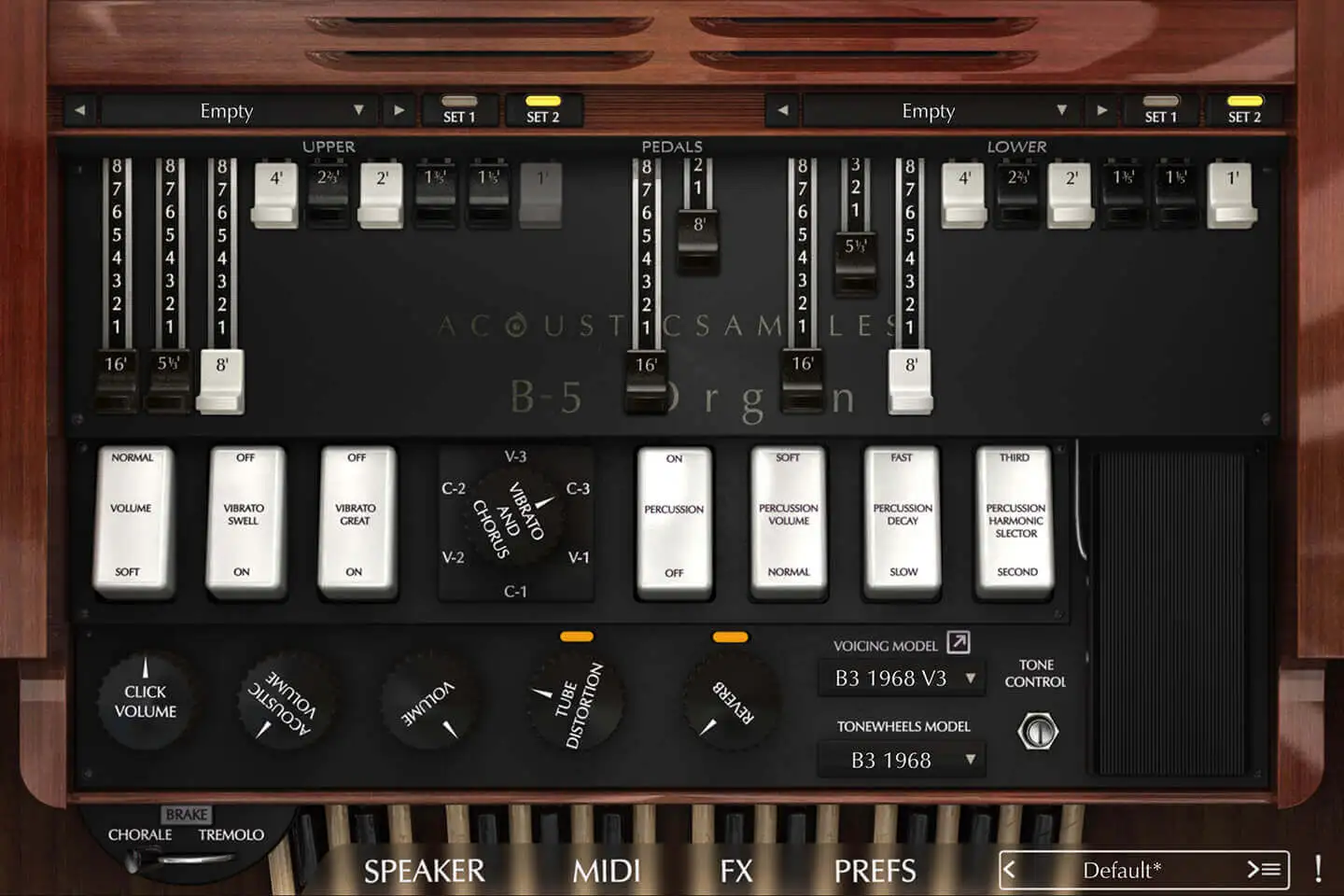
Features
Sample based synthesis
How does sampling + modeling work, and why does it sound so natural? Read sampled, modeled or hybrid.
More about this
- Hammonds are electric, and the amount of volume each tonewheel puts out is limited. When you play two notes that use the same tone, the volume is not simply doubled, the "loudness robbing" is an effect inherent to the Hammond circuit which reduces the volume of a specific tonewheel depending on the number of notes accessing that same tonewheel.
- For similar reasons, the "voltage stealing" is another effect that also reduces the overall volume based on the number of notes played, but this time it applies to the whole organ, not just the tonewheels. The reduction amount varies depending on which notes are played, which drawbars are used, etc.
- Every Hammond organ produces a background noise, most people try to remove it, but it's still a signature of the hammond organs, so naturally we made sure the amount of noise can be controlled to taste.
- The crosstalk is essentially the frequencies of the nearby tonewheels that leak into the pickups, plus the quality and age of the small filter after the pickup. The amount of crosstalk can be controlled here; on the lowest levels it can be made to sound like a pure sine.
- The keyclick is also a very recognizable feature that Mr Hammond did not want. Depending on the age of the organ and its restoration state, that click will be darker or brighter, and this can be controlled here.
- Since standard organs only have 91 possible frequencies, there were not enough frequencies on the last drawbar to cover the whole range of the keyboard. Mr Hammond had decided against adding anything else, but this meant that the tone was abruptly changing at those points. So he introduced the foldback, which repeats the same frequencies of the octave below, giving a feeling of continuity. The B3s and similar use a standard foldback, the older A and BC models use a slightly different version and the spinets don't use any at all. Any of these three options can be chosen to match the voicing and tapering values set in the voicing panel.
Rotary Speaker Simulation
More about this
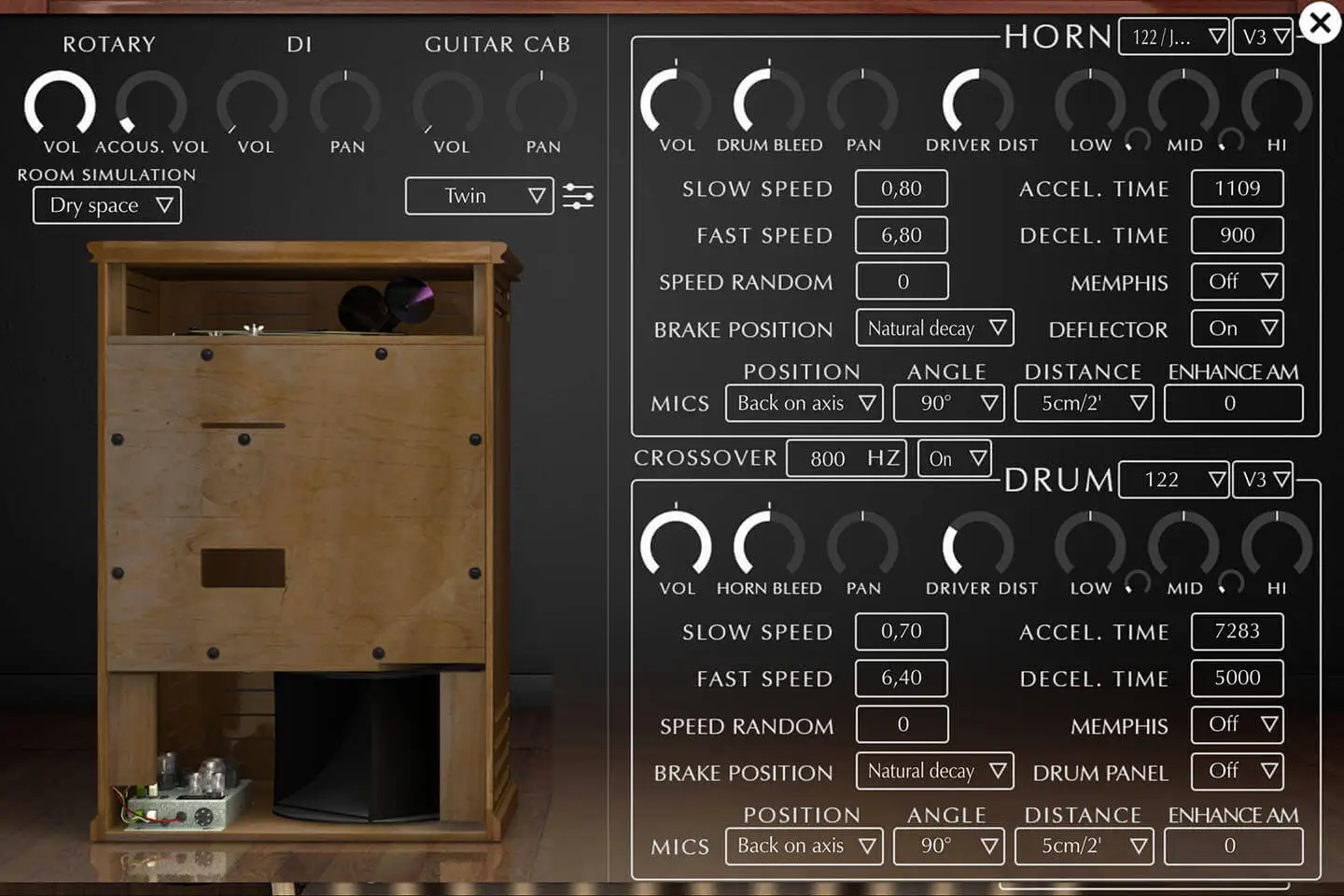
So on each rotor, you can control the folowing:
- The input volume: controls the volume input of each speaker (this does not exist on 12 Leslies, but it's there on the 3300).
- The microphone bleed: controls the amount drum sound going into the horn microphones and vice versa.
- The pan: controls the right left pan of each rotor.
- The Driver Distortion: We realized while measuring the horn and drum without the Leslie amp that there was some inherent distortion to the speakers themselves, so you can control how much of this effect you want.
- A 3 band EQ: controls the frequency response of each rotor.
- Slow and fast speeds: controls the speeds of each rotor when in chorale or tremolo.
- Accel and Decel times: controls how long it takes for each rotor to reach the fast speed when you switch the leslie to fast and the same thing when it slows down.
- The Speed random: adds a little variation to the speeds, and if you set for example the horn and drum at the same exact speed, you will still get variations instead of something very static.
- The Memphis: this is a feature that was asked by customers a lot, it allows to simply disconnect the corresponding motor which will stop it from spinning, the memphis mod is usually used on the bass rotor.
- The Brake position: controls the position of the rotor when you hit the brake button on the main interface. By default and just anything that rotates and is stopped, it will stop to a random natural position that depends on when it was stopped and the time needed to do so. We added the posibility to use a fixed position to always have the same position when the rotator stops.
- Deflector on/off: it's only available on the horn, we created two models, one with the deflector on and one with the deflector off and you can choose between the two options. When you remove the deflector, you will immediately hear that the amplitude modulation is very much accentuated, but it will also feel less "airy".
- Drum Panel: it's only available for the drum and controls if you want the leslie with or without the wooden back panel between the drum and the microphones.
- The mic position: There are 3 different choices corresponding to the most common ways of recording a leslie, so from the back of the leslie, the side or the front. We also added two variations that consist of being on axis, so with the microphones set symetrically relatively to the rotors, or off axis where the microphones are set symetrically relatively to the box (and since the rotors are not centered in the box, they end up being asymetrical relatively to the rotors).
- The microphone angle: for each position, you have access to a list of microphone angles, from 0 to 180°, they basically set how wide the microphone pair is set. When set at 0, the signal is mono.
- The microphone distance: You can set the microphones at 4 different distances from 5cm (2') to 90cm (36').
- The enhance AM: controls an extra amount of amplitude modulation if you feel like you want more of it.
Hundreds of models
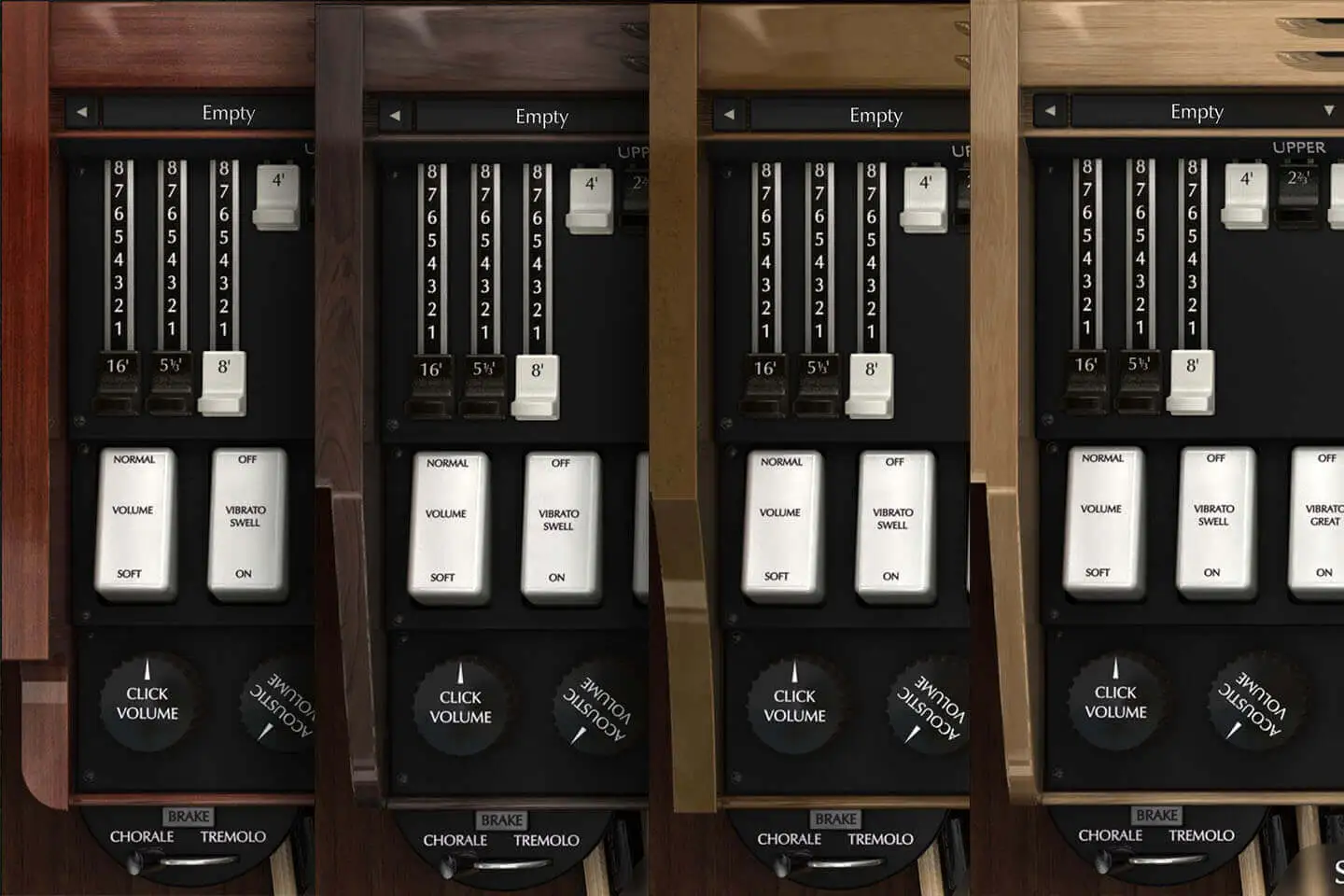
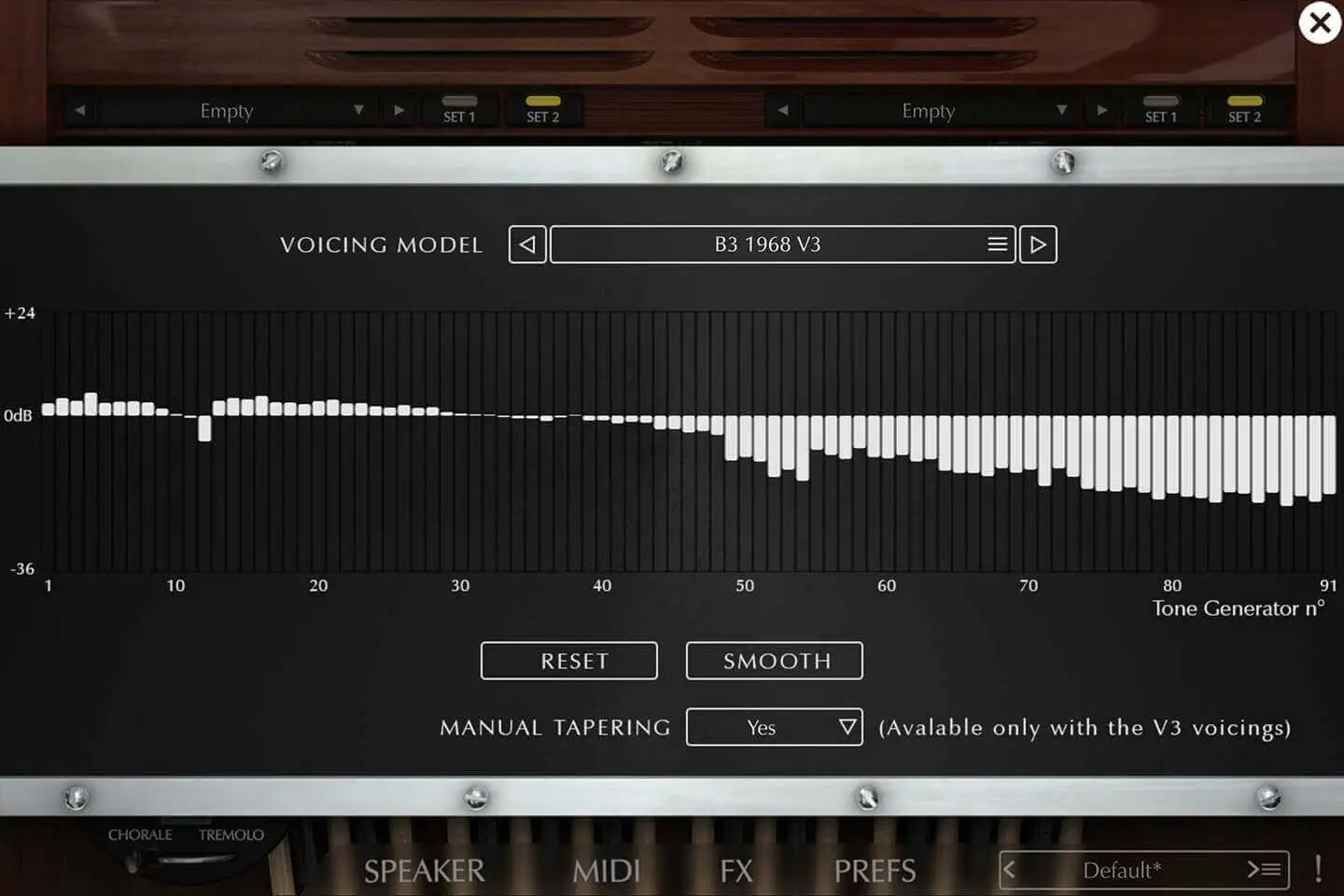
All of the tonewheel organs sound different, each of them has a particular voicing, and that's mostly due to the distance between the tonewhels and pickups but also to the aging of the capacitors.
With the help of Kon Zissis, who has been servicing and measuring organs for many years, we were able to incorporate 150 unique organ voicings from many different models (A, AV, B, B2, C2, BA, BC , CV, B3, C3, A100, RT3 and a few others).
We also sampled 4 iconic models (1968 B-3, 1960 C-3, 1969 C-3 and 1965 A-100) whose different tonewheel sounds you can switch between.
The combination of tweaking of the voicings with manual tapering options allows you to shape virtually any organ model and sound possible.
More about this
- A B3 from 1968
- A C3 from 1960
- A C3 from 1969
- An A100 from 1965
FX Panel
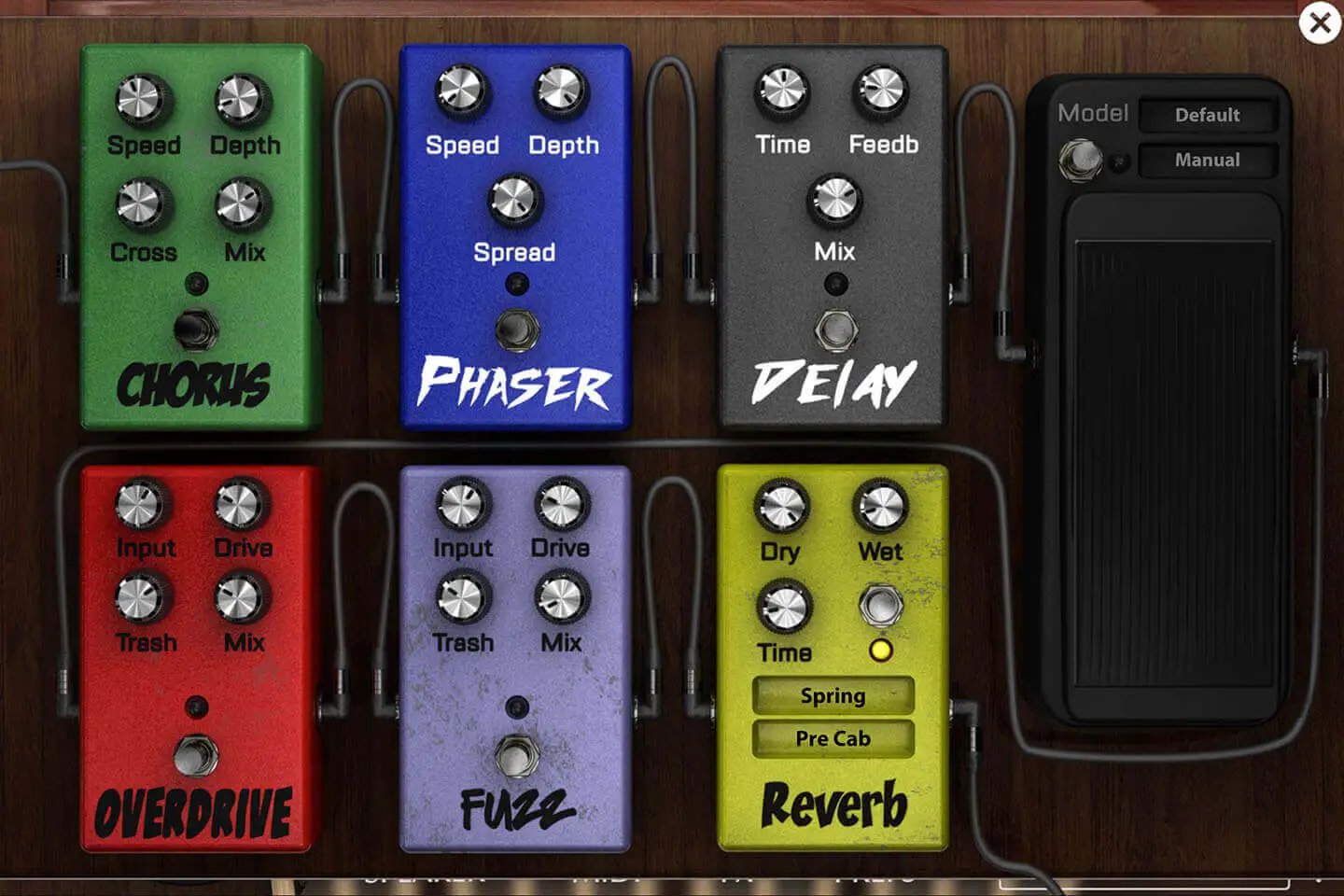
On top of our Leslie tube saturation, we added a panel of 7 FX.
It includes chorus, phaser, delay, overdrive, fuzz, wah (which can also be an auto-wah) and reverb (spring, plate and real room variations).
These FX are pre-Leslie, except for the reverb, which can be pre or post.
Now you can truly recreate the sound of any organ or song, including progressive rock!
Tube saturation
The tube saturation on a Leslie 122 is very different from what you hear from other tube amps.
We completely redesigned it in version 3 to match real recordings even more accurately.
Advanced Percussion System
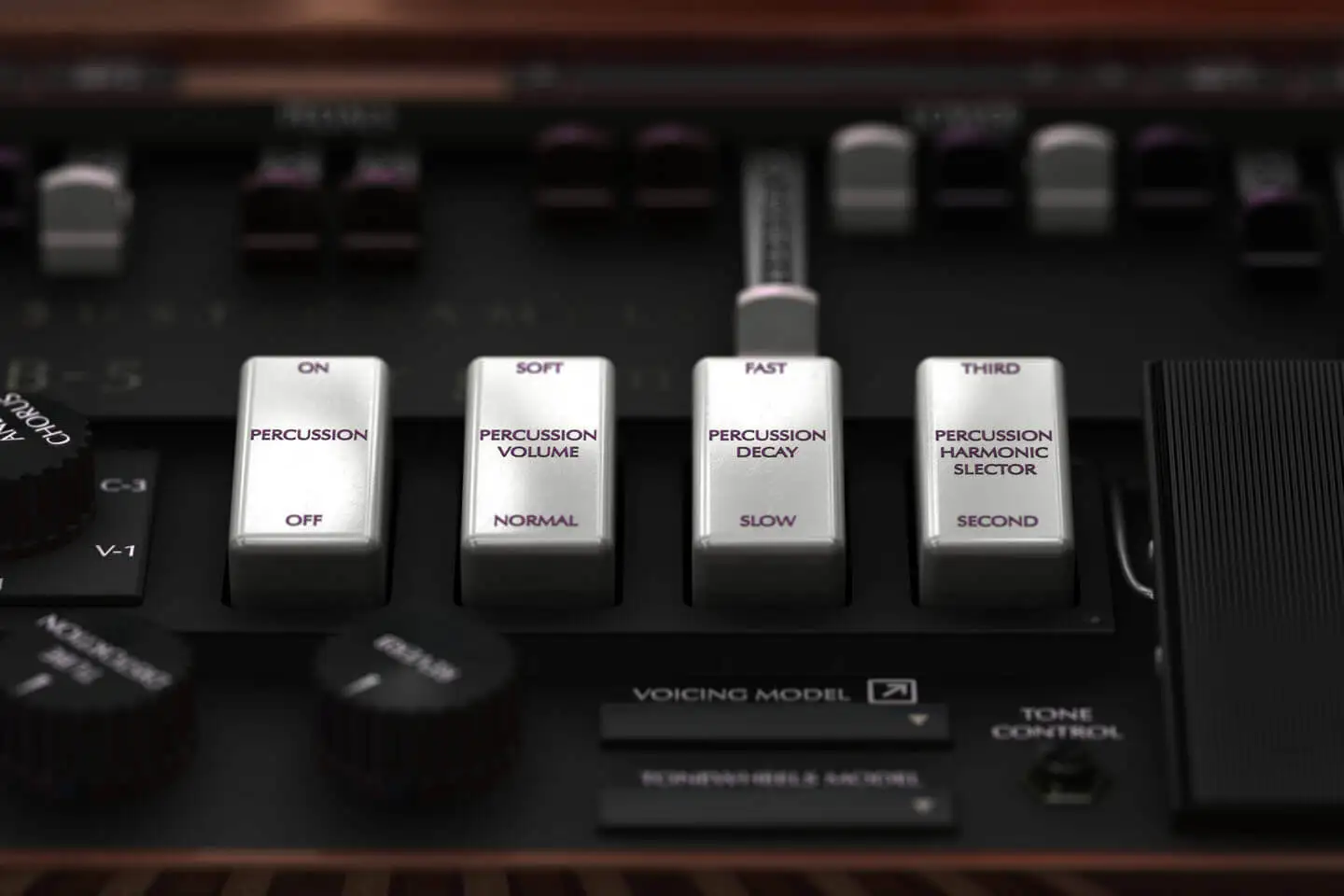
The percussion on an organ is not just an addition of samples, it is a general volume decay envelope triggered by the first note you play, which is not restarted until you release all the keys.
We recreated it so meticulously that you can hear a percussion sound when you turn it on or change from second to third! You can even customize the time, volume and frequency to make it sound like "paradise".
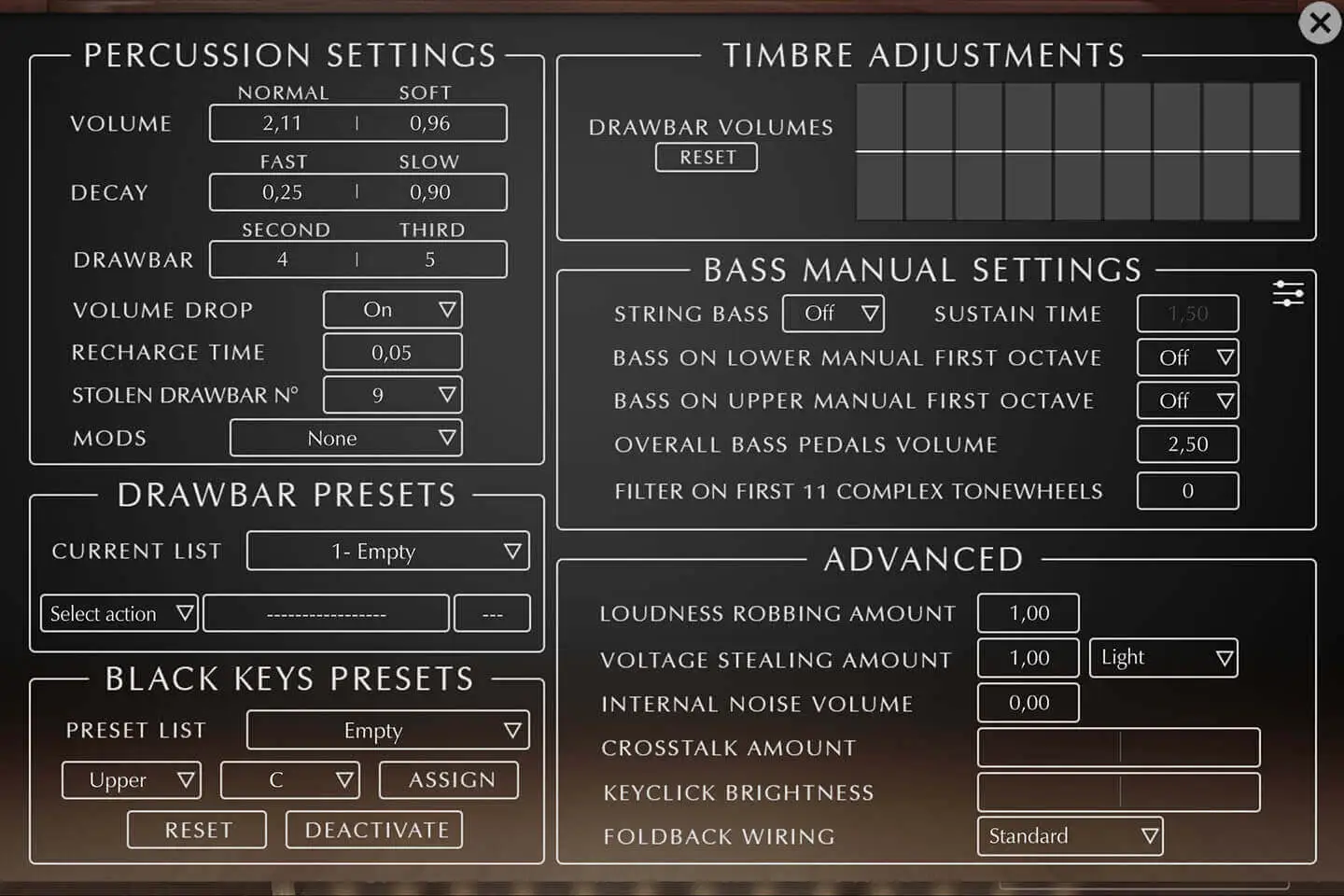
It is also completely tweakable: you can edit the volume for the normal and soft settings (as well as decay times), decide on which harmonic is played and even control the recharge time.
More about this
- The percussion is a general volume decay envelope applied to an harmonic that is triggered at the first key you press and that is restarted only when all notes are released.
- The percussion circuit does not go through the scanner vibrato, its pitch stays unaltered (at least before going through the speaker.
- It is only available on the upper manual.
- It steals a drawbar from the upper manual, by default the 9th, but we made is so that you can choose which one it steals or even avoid it to steal anything.
- It has two volume positions, "soft" and "normal", the normal is louder, but also dims the volume of the drawbars. This effect can be turned off in the advanced preferences and each volume can be defined as well.
- You can choose wether you want to use the second or third harmonic for it, and you can also use any harmonic for each position in the advanced preferences.
- You can also choose the decay of that envelope (slow or fast) and these values can be changed in the advanced preferences as well.
The percussion will not work if you don't use the second set of drawbars on the upper manual (or use the B preset key) just like on a real organ.
- You can control the "normal" and "soft" settings respective volumes. There aren't two organs with the same voume for these.
- The decay for "slow" and "fast" can also be changed, in reality, this is controlled by a knob inside the organ called percussion cutoff.
- The percussion system steals the harmonics from an existing tone, for the "second", it's the brawbar n°4 and for the "third", it's the 5th drawbar. You can change that if you want to to mimic what's possible on some spinets for example.
- On real organs, selecting the normal position will increase the volume of the percussion but also decrease the volume of the tones. This is called the voluem drop and you can disable it if you want, this is a known mod on real organs.
- The percussion system relies on capacitors and they need a certain time to recharge once all keys have been released, this for example makes very fast repeated passages sound different with the percussion volume reduced a bit as it did not have enough time to recharge between each note.
- We added two other mods, the "paradise" button that will prevent the percussion from decaying, or the "always on" that will play a percussion sound everytime you press a note.
Real Key Contact Modeling
Organ Modifications
More about this
- In the preference panel, you can also modify the Drawbar Volumes which would mean changing the resistance wires for every drawbar connector.
- The String Bass is an organ add on that makes the pedal tones decay longer and steal the previous note to make it easy to play legato notes with your feet. Its decay can be changed.
- Many organ players don't use the pedals and prefer to use the lower manual instead, the problem is that Mr Hammond used the "foldback" to limit the number of tones to 91 and also assign the very low and more complex tones only to the pedals. A common mod is to rewire these to the lower manual two lower octaves. We give the possibility to do this on both manuals.
- When the percussion is on "normal", the whole volume of the organ decreases while the percussion gets louder. The "Percussion volume drop" mod avoids this volume loss.
- As mentioned in the percussion section, you can control every aspect of the percussion system, the volume, decay and the harmonic used for each switch position.
- A less known effect is the percussion recharge time, which represents how much time the percussion general ramp needs to go back to its maximum value, as an example, if you play very quickly the same note, the volume of the percussion will be lowered as you play faster, if the time between two repetitions is above the recharge time, it will play at full volume, otherwise it will play at a fraction of it.
- The percussion system "steals" a drawbar, you can change which one gets stolen or even if it gets stolen at all.
- Jimmy Smith used a broken organ on a few records, the percussion system did not work properly and the percussion never decayed, this mod is called "adding a Paradise button".
All Three Keyboards
More about this
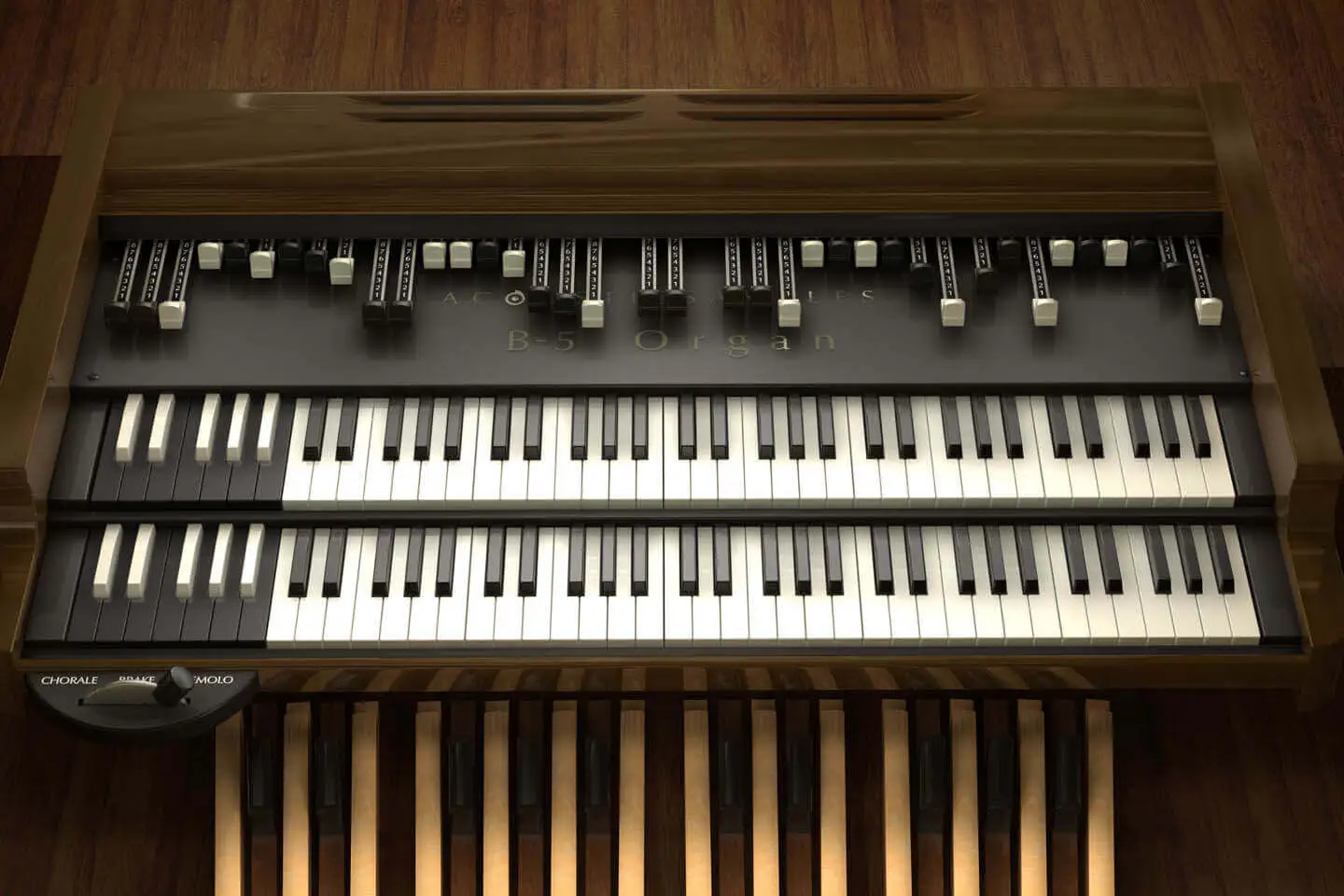
- The string bass, its a feature that exists only in an add on, but that is used quite often, the pedal notes will not stop as soon as they are released, but will follow a sustain time. That system is also mono, meaning that every new note will stop the previous one, this is often used for bass walkings.
- The Bass on lower or upper manual first octave will allow the usage of the first 11 bass tonewheels on the upper or lower manual, this is useful for players that don't have pedals or that just play the bass with their left hand.
- You can control the overall volume of the bass pedals.
- The first 11 bass tonewheels are not as close to a pure sine as the rest of the tonewheels, thay are called complex tonewheels and they already produce a mix of frequencies. Organ players often prfer a sine sound and will add a capacitor to filter them. You can now do that in the B5 as well.
- As mentioned above, the pedal drawbars consist of a pre mix of tones, in the V3, we added to possibility to modify it to your liking, if you click on the small icon in the "bass manual settings" you will see two tabs representing the amount of each tone used for each drawbar.
Presets
More about this
MIDI assignment and controllers
More about this
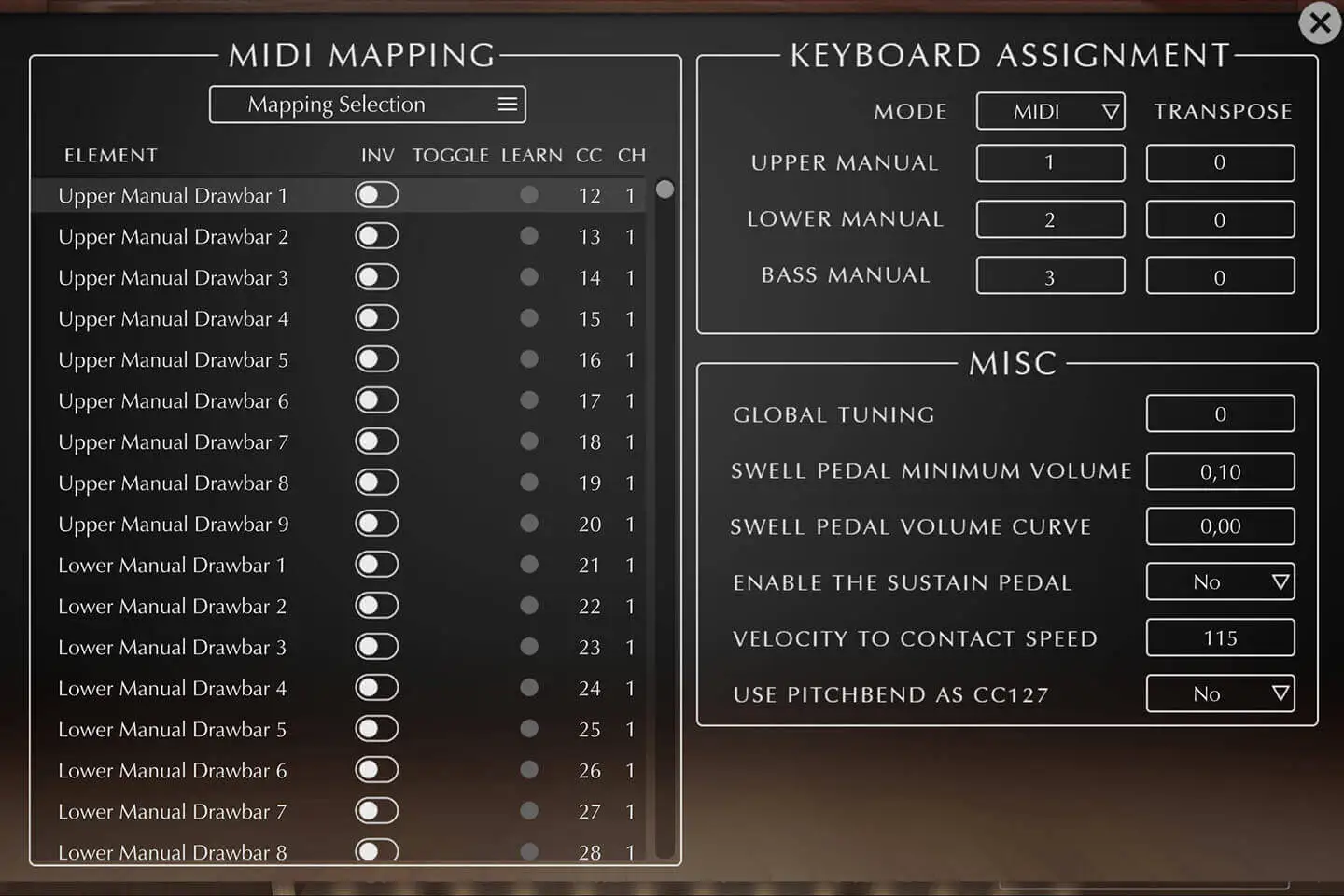
- The global tuning of the organ in cents, you can turn it down or up a semitone.
- The swell pedal minimum volume can be adjusted, this controls the overall volume of the organ when the swell pedal is at its minimum.
- You can also adjust the "swell pedal volume curve" to control how quickly it goes to the maximum volume.
- Some people requested to be able to sustain the tones using the sustain pedal, this does not exist in a hammond, bt you can enable it here.
- The "velocity to contact speed" controls how quickly all contacts under each key are closed. This is not exactly how an organ works, but basically the harder you play, the faster the contacts are closed.
- Some keyboards only have a pitch bend wheel and controling teh Leslie speed for example can be useful, so we added the option to use the pitch bend as the CC 127. You can then simply set any elment to CC 127 in the list and use it.
Technical specifications
UVI Player v3.0.15 (delivered with every purchase) or Falcon 2.1.1 is required for the library to function properly.
900Mb compressed in lossless flac format, around 1800 samples for each tonewheel model.
Version 3 changelog:
Sample player
B-5 Organ V3 plays in UVI Player (formerly UVI Workstation), UVI's free sample player. We provide it with every library you buy, so you don't need an expensive sampler to use our products. It works on Mac (macOS 10.14 or later, Intel or Apple silicon) and Windows (10 or later), standalone or as a plug-in (VST / VST3 / AU / AAX), in 64-bit only. More about it here.
Copy protection
We use the iLok system to protect our products and you can choose to register your license to your computer or to an iLok dongle. If you decide to use an iLok dongle, both V1 and V2 are compatible with our products. You can activate your license on up to 3 computers or iLok dongles at the same time and you can deactivate one and activate another as many times as you want.
Video tutorials
- Overview & walkthroughyoutu.be/x0TGOMxCVc0
- Video1youtu.be/x0TGOMxCVc0
- Video2youtu.be/NP8C_7P_e5o