
User guide
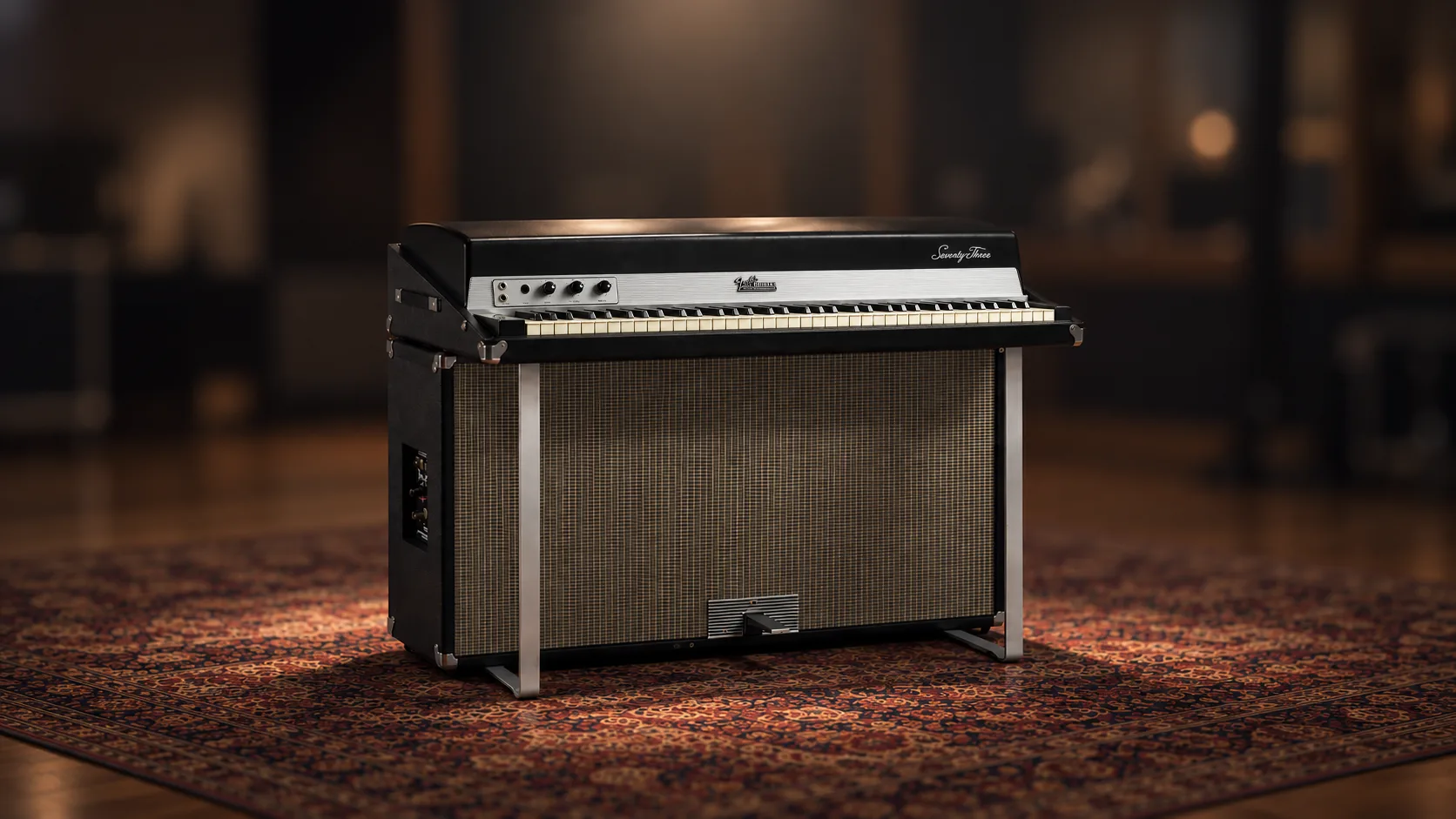
Sampling/modeling hybrid recreation of a classic Fender Rhodes MK1 electric piano.
Overview
SAMPLING MEETS MODELING
Interface
Features
Pure Rhodes© sound, uncompromised playability
How does sampling + modeling work, and why does it sound so natural? Read sampled, modeled or hybrid.
More about this
Front panel
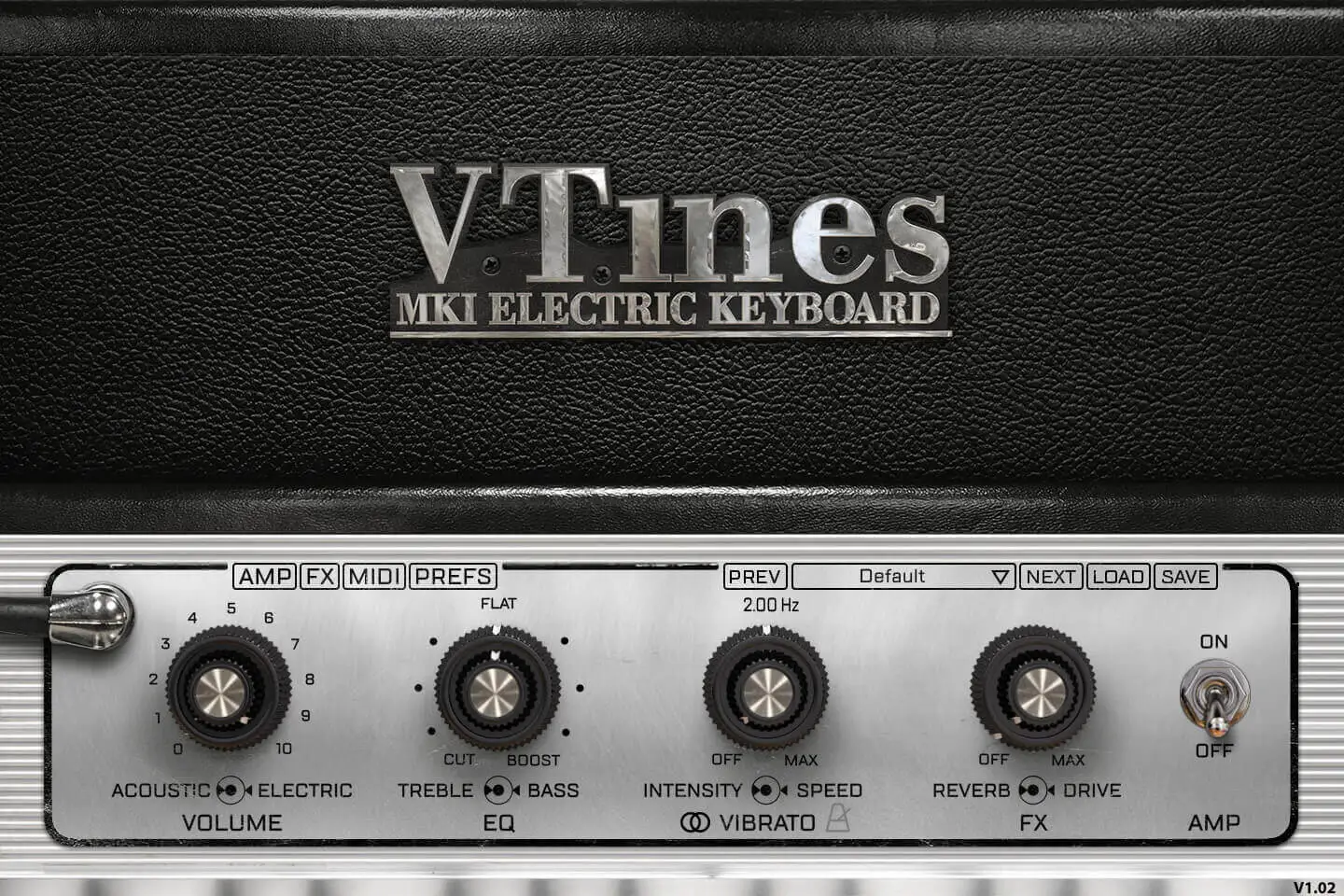
You can mix the acoustic signal (we had a mic pair right over the rhodes capturing the real acoustic sounds of the keys and tines) and the DI Electric signal.
The second concentric knobs, just like on a real suitcase rhodes control Treble and Bass. We measured this carefully and made sure the ranges and frequencies matched the original.
The vibrato (we talk about it more in depth below) has two controls, the depth and the speed. We carefully measured the output of the preamp and copied the real output of each channel. We also added a tempo link as it can be very useful. We also extended the original range as this is a common mod on real Rhodes.
There are two very common FX accessible on the front panel: reverb and drive. You can control their amount from here but if you want further adjustments, you need to go to the FX page.
You can also engage the AMP simulation from the front panel. Again for further adjustments, you need to use the AMP panel.
You can also use one of our presets from here as well as save and import yours.
Vibrato and front FX
We carefully measured the output of the preamp of a Rhodes© suitcase and created an exact replica of the stereo panning of the Vibrato. We just added the possibility to sync it to your tempo and also extended the speed range just like some real mods do.
The Bass and treble EQ are precisely adjusted to the frequencies and ranges of the original preamp.
Pre 1969 Rhodes© only had a mono tremolo, so we added that option and you can get that old school vibrato effect.
Suitcase AMP
More about this
AMP panel
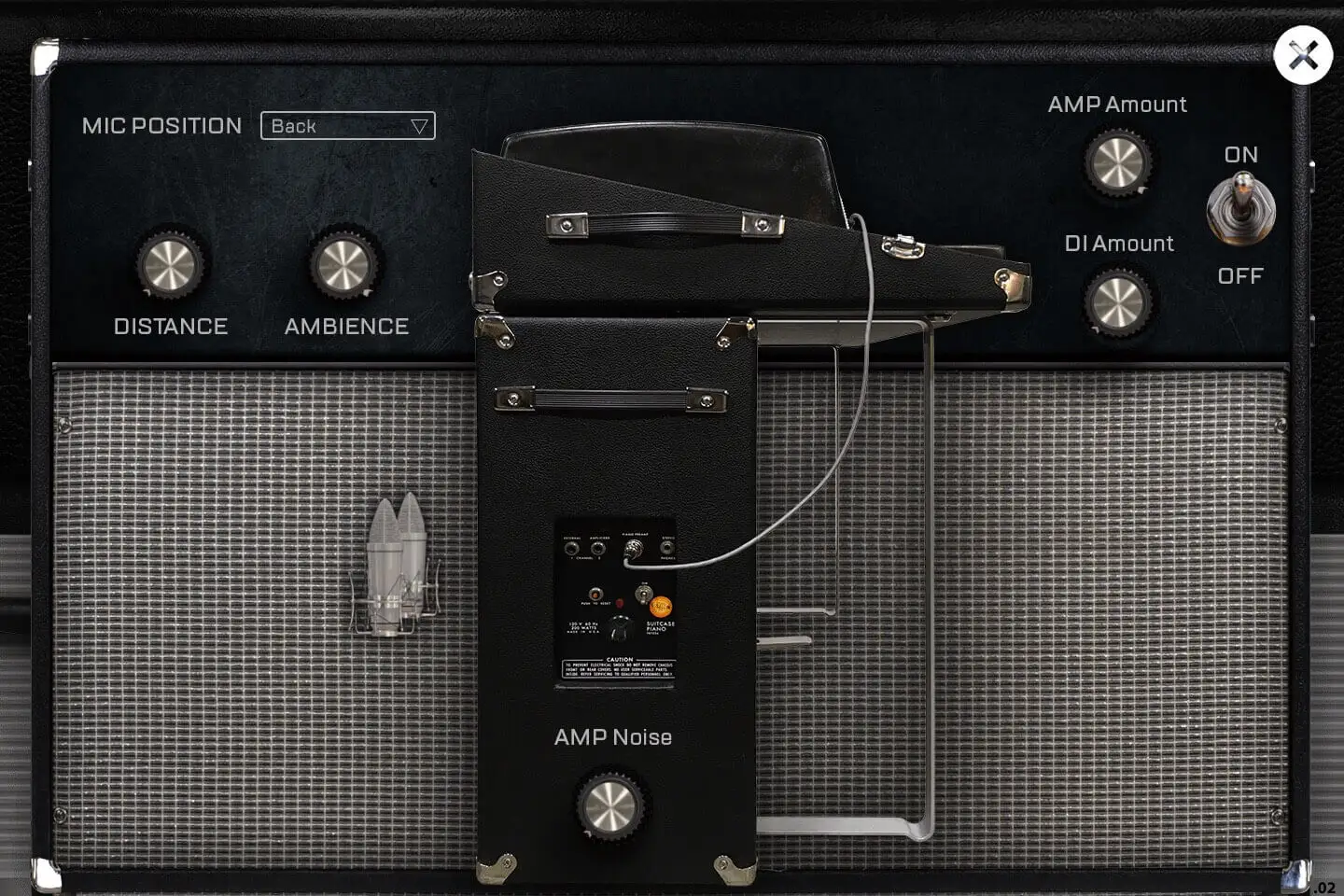
There are 4 different microphone positions to choose from, Back, Front, Player, Room, all these are relative to the Suitcase amp and the images shows where the mics were placed. For each of them, you can control the amount of ambience and the distance relative to the amp.
The AMP of a suicase is noisy, and there is no way around it, so we added an AMP noise button so that you can get soe noise from the VTines.
As the Rhodes is sometimes recorded through the DI and through the amp as well, you can control both amounts as well.
The tremolo is a stereo effect that is sent through the suitcase amp which is stereo, the left side is driven by an amp and the right side by another. We modeled that as well and you can hear that the vibrato put through the amp is not a simple right left effect, but a complex true stereo effect that really shows the width of the amp itself.
FX Pedalboard
More about this
FX panel
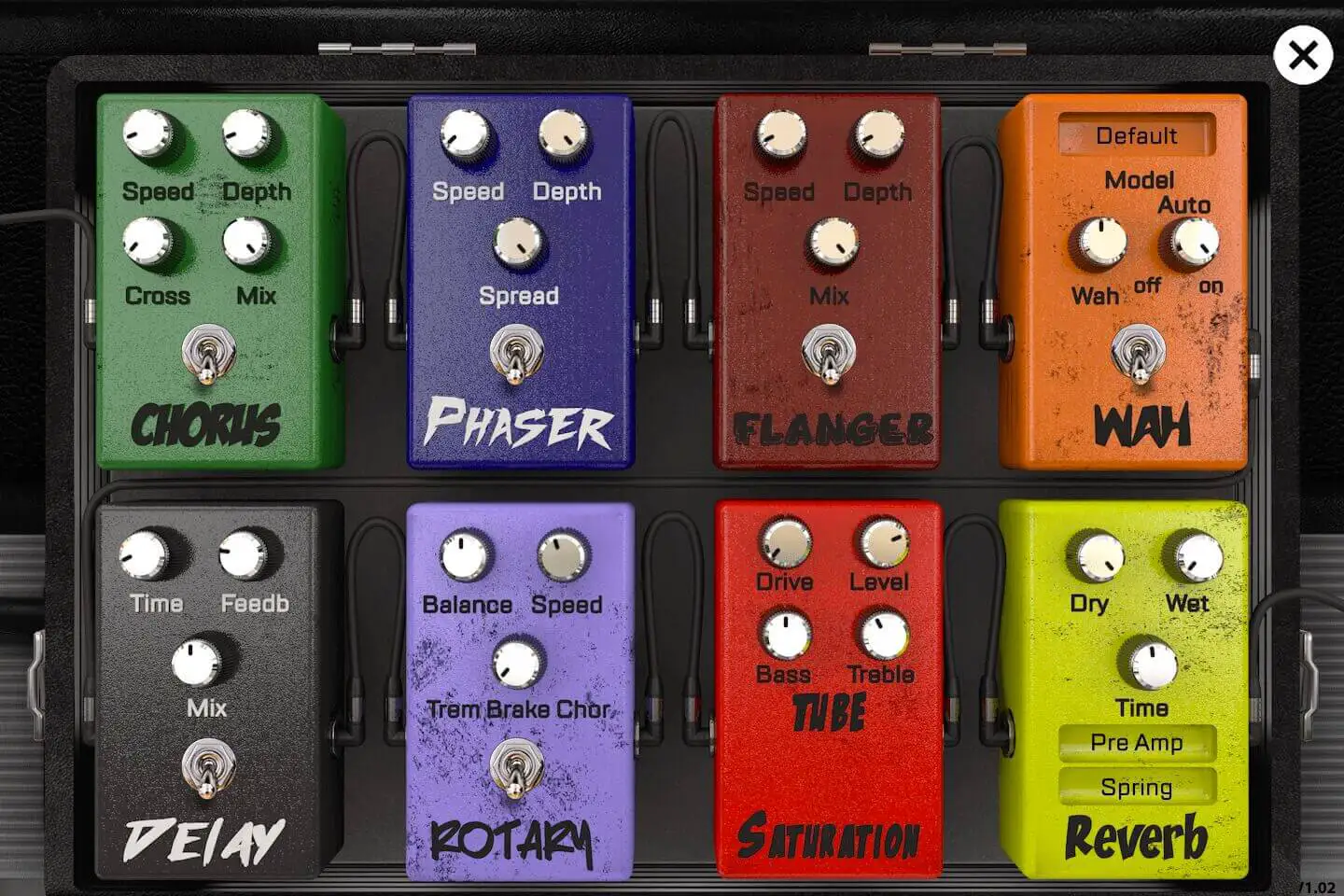
There are 8 FXs on the FX panel:
1- Chorus: based on Torus and you can control the Speed, Depth, Crossover and MIX of it.
2- Phaser: based on Phasor and you can control the speed, the depth and the Spread.
3- Flanger: based on Flanger and you can control the speed, depth and Mix.
4- Wah: based on the WahWah fx and you can use a few different models, have it on auto (by default) or control it using an expression pedal.
5- Delay: based on an Analog Tape delay and you can control the Time, the Feedback and the Mix.
6- Rotary: based on the Rptary effect we used in the B-5 Organ. You can control the Drum/Horn Balance, the Speed of the tremolo or set it to the 3 different speeds. When it's on, it will bypass the Suitcase AMP.
7- Saturation: based on the same Tube saturation used in the B-5 Organ, you can control the drive, the level and also the Bass and treble amount to somehow control which frequencies will be saturated. When set to 0, it is bypassed.
8- Reverb: based on the convolution reverb, you can use wether a String reverb, a plate reverb, or a real room ambience. You can control the time and the dry and wet parameters. Plus you can also use it before the amp like on a live session, or after as if you were adding it to a track in a sequencer. When set to 0, it is bypassed.
All of these fx come pre-amp except for the Reverb that can be set post-amp which can be useful if you want to make it sound like it is often set up on records.
Precise adjustments
More about this
Preferences panel
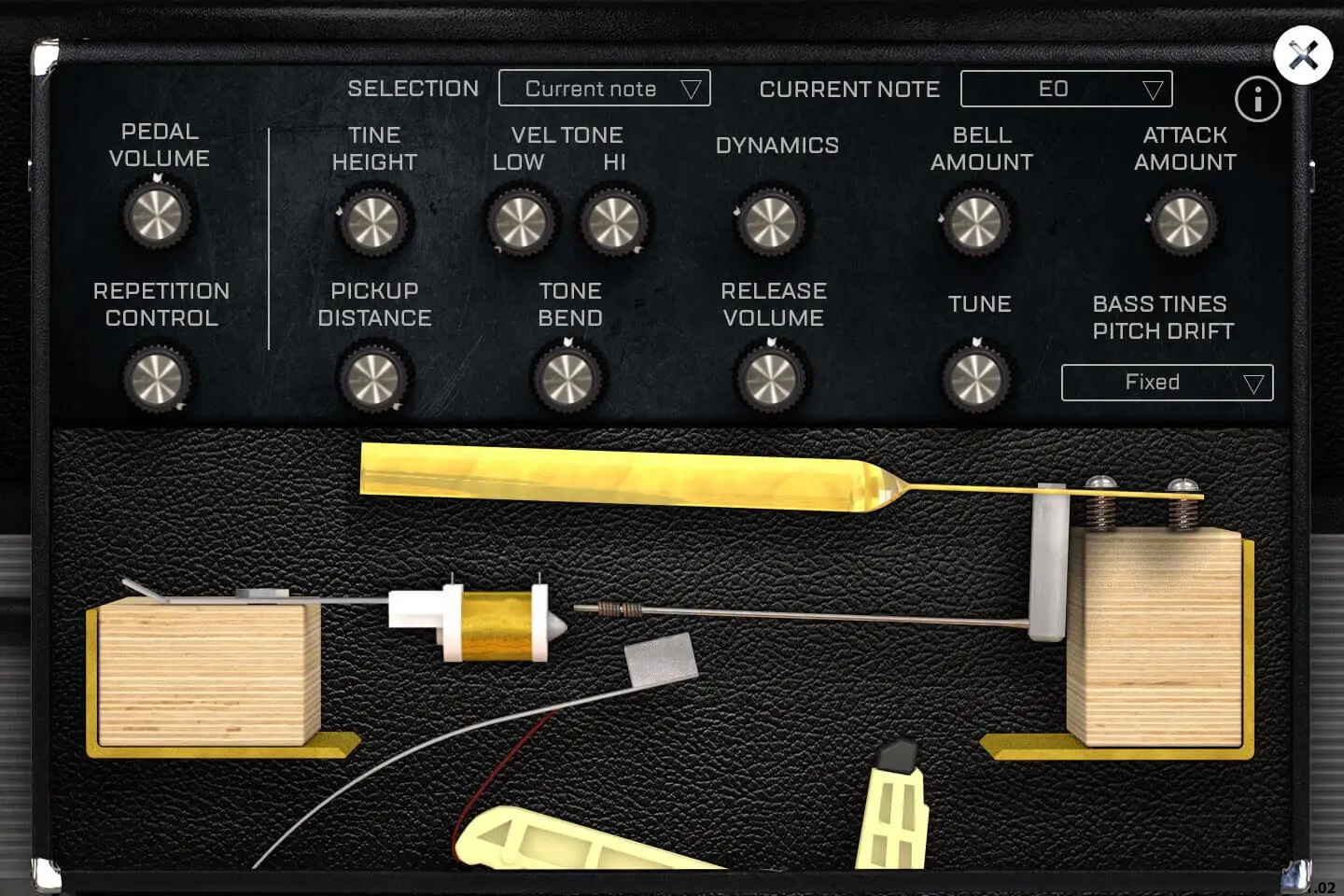
On this panel, you can adjust many parameters to shape the sound of the VTines. Here is what each parameter does.
There are only two parameters that are adjusted for the whole library:
1- The pedal volume controls the volume of the sound made by the pedal when you press and depress it.
2- The Bass tines pitch drift can be corrected. On a real rhodes, the torsion of the long tines when you play them hard leads to a pitch drift which may make it sound like it's out of tune. Piano tuners usually have to choose a velocity range to have it in tune with the higher octaves. Since we are using a sample library, we decided to offer the possibility to flatten that pitch drift and make sure it's in tune all the time, no matter the velocity.
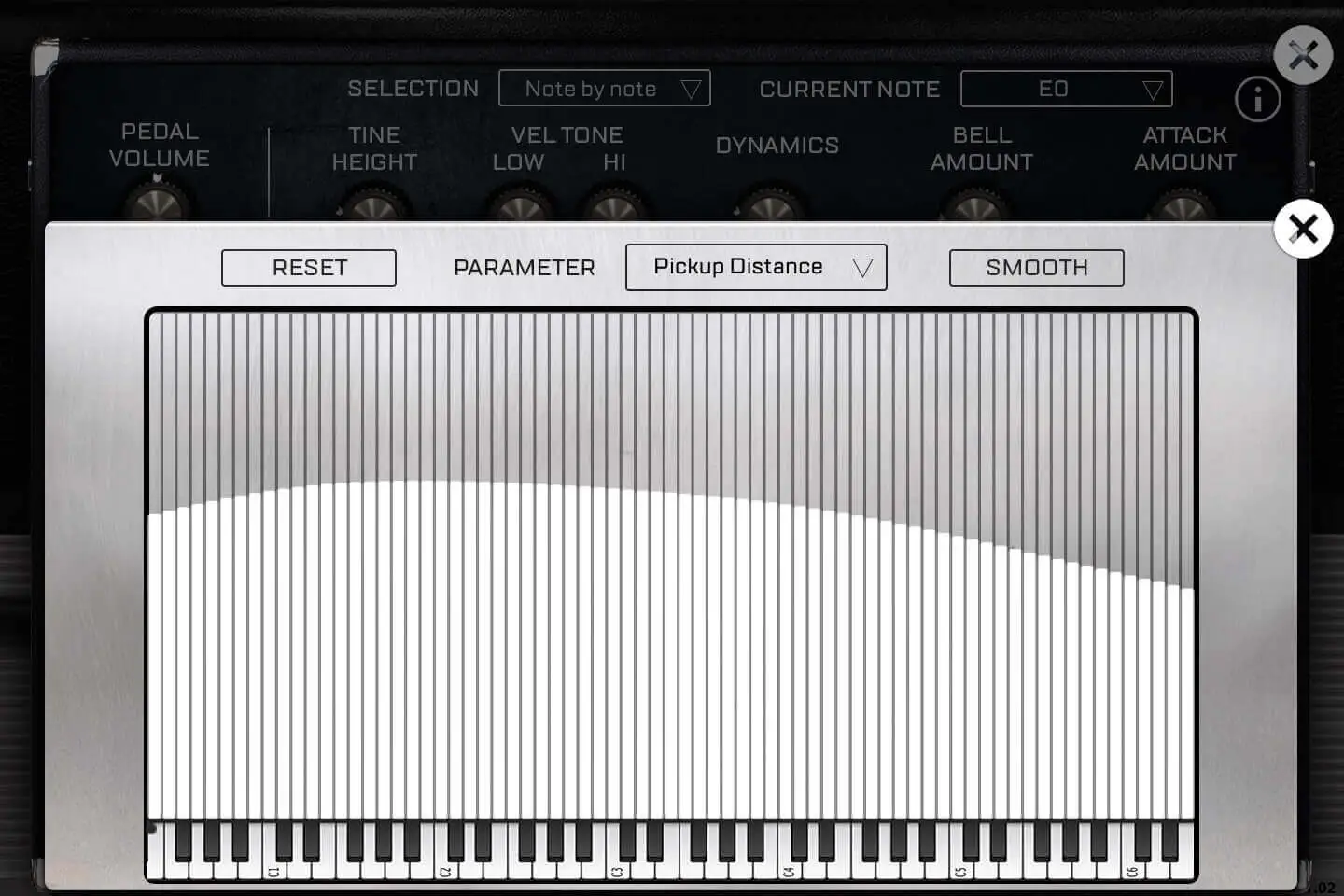
The rest of the parameters can be adjusted differently for each note. By default the selection is set to note by note, and any change on the parameters will only be applied to the most recently played note, but you can have it affect all notes, or you can select note by note to modify the parameters using a curve.
a- The repetition control is an effect that happens only on pedal down. When you repeat the same note over and over again with the pedal pressed, the notes don't just stack up, but sometimes they get morte or less cancelled. We created an accurate model of this effect and were abel to reproduce it. That control will control the amount of that effect.
b- The tine heigth is the second component used on a real rhodes to voice it. The height will completely change the tone and amount of overtone (or Bark). There is a sweetspot described in the original Rhodes documentation that is right above the pickup. This allows for the maximum of overtone without loosing too much of the fundamental frequency. This is the main control over the character of a rhodes and with this, it will sound mellower or thinner if you go to the extreme values.
c- Pickup Distance: The distance between the tine and the vibrating tine controls mostly the overall volume of the corresponding note. This, just like on a real one, will help voice the rhodes with more or less Bass and Treble at the note level. In reality, it also controls changes the angle made with the tip of the pickup so it influences the amount of bark and other parameters, but for the ease of use, we limited that knob action to just the volume.
d- The Hi Vel Tone controls how much overtone there is in the highest velocity. The Low Vel Tone controls how much overtone there is in the lowest velocity."
MIDI Control
More about this
Technical specifications
UVI Player v3.0.0 is required for the library to function properly, the V Tines will not work on windows XP, or OSX 10.6, it will not work on a receptor either.
80Mb compressed in lossless flac format.
- Sampling and modeling hybrid of a Mark1 Fender Rhodes©
- Full continuous velocity
- Perfect staccatos and release samples
- Around 35 high quality presets
- Fully customizable instrument to match any real life Rhodes voicing and adjustment.
- Precisely measures Vibrato effect
- Very detailed Rhodes© AMP simulation with different mic placements and true stereo response.
- FX Pedalboard with 8 high quality effects
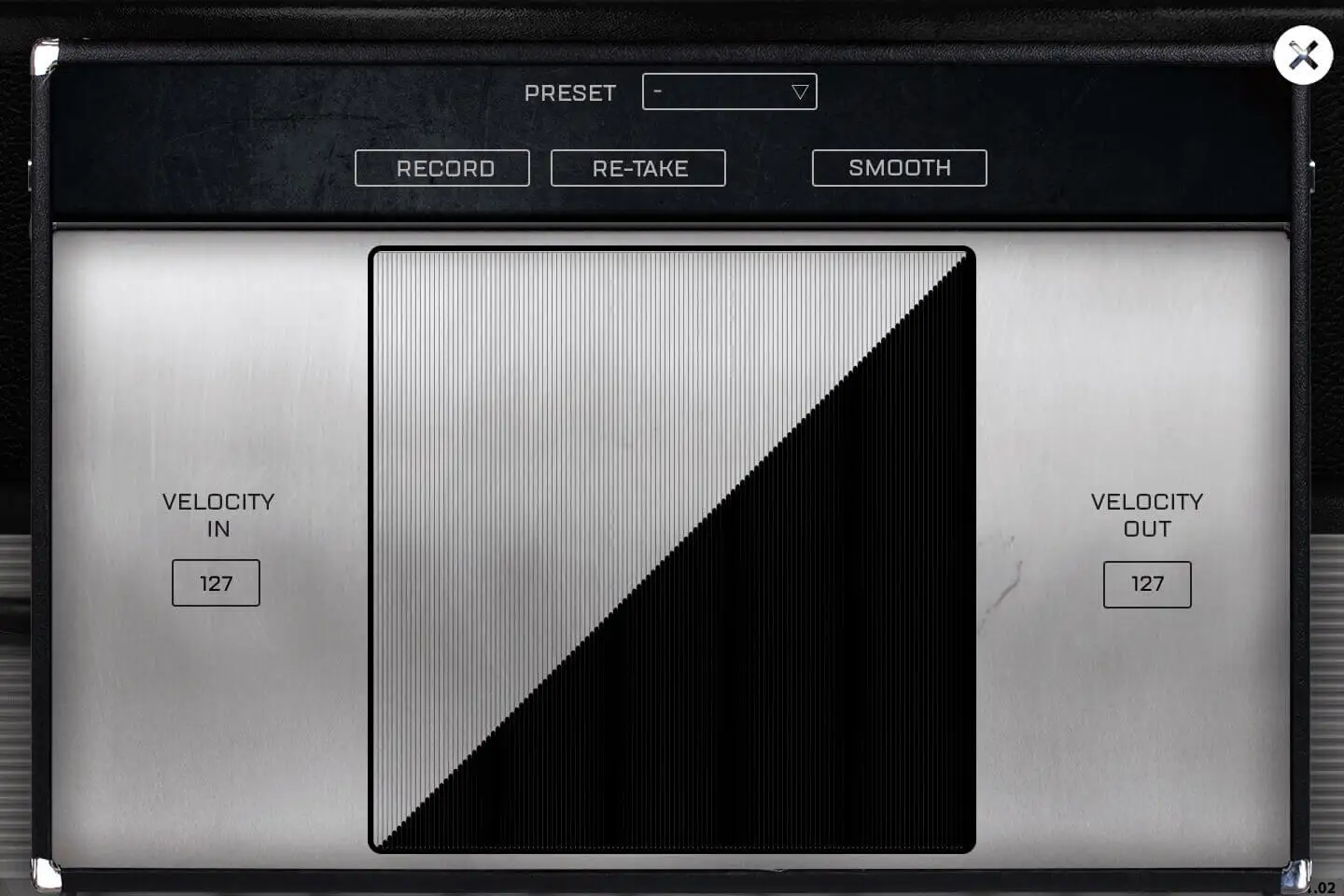
- Completely adjustable MIDI response
- Auto keyboard velocity adjustment tool
Sample player
VTines MK1 plays in UVI Player (formerly UVI Workstation), UVI's free sample player. We provide it with every library you buy, so you don't need an expensive sampler to use our products. It works on Mac (macOS 10.14 or later, Intel or Apple silicon) and Windows (10 or later), standalone or as a plug-in (VST / VST3 / AU / AAX), in 64-bit only. More about it here.
Copy protection
We use the iLok system to protect our products and you can choose to register your license to your computer or to an iLok dongle. If you decide to use an iLok dongle, both V1 and V2 are compatible with our products. You can activate your license on up to 3 computers or iLok dongles at the same time and you can deactivate one and activate another as many times as you want.
Video tutorials
- Overviewyoutu.be/wO78jg_TGhw
- Overviewyoutu.be/wO78jg_TGhw