
User guide
C7 Grand
Based on the Yamaha C7 piano, a model used by world-class pianists such as Alexandre Tharaud and Artur Pizzaro.
Overview
We wanted to capture its delicate, bright and precise sound that you hear everywhere, so we used every technology and piano simulation tools that we worked on over the years and here it is, the C7 Grand with all of the features you can think of, multiple microphones (3 different stereo perspectives), half pedal, repedal, sympathetic resonances and many other that we will detail below.
It is also very customizable as we know that not everybody has the same digital piano or has the same taste, you can change every aspect of it, the overall sound, the tuning (even complex microtuning are possible) or the MIDI response.
The C7 Grand is using the popular flac lossless compression format (UVI Player 2.5.2 is required to use it) to increase the streaming performances and loading time without losing any audio quality. You also save space, the library goes from 14Gb uncompressed to 2.41Gb.
Features
Microphones
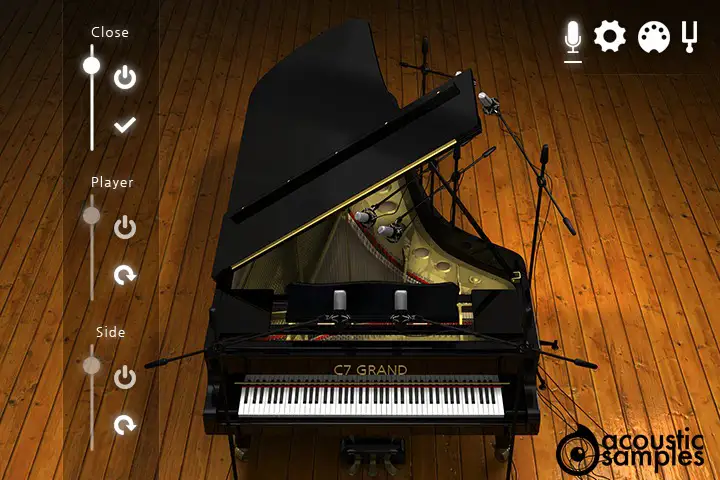
The Close microphone perspective is placed inside the piano very close to the strings and gives powerful bass and a very detailed sound and a wide stereo image.
The Player microphone perspective is placed above the head of the piano player. The stereo image is almost like the one you get when you play, the sound is brighter and has more air than the close position.
The Side microphone perspective is placed exactly where a solo singer would be standing. It has even more air than the other two perspectives.
You can of course mix the multiple positions to get the best of each position.
Resonances
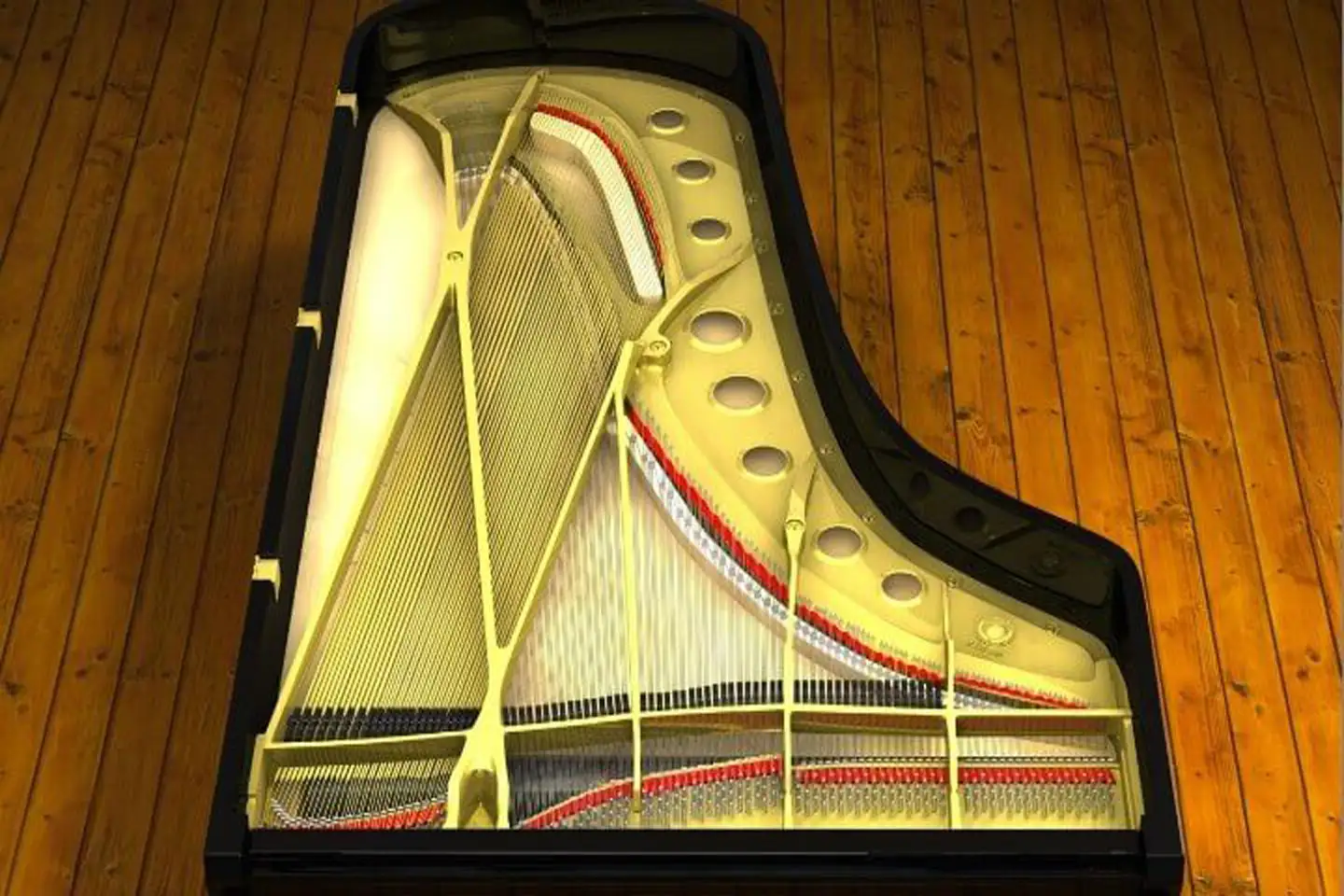
The C7 Grand has two very advanced types of resonances simulations.
The Pedals
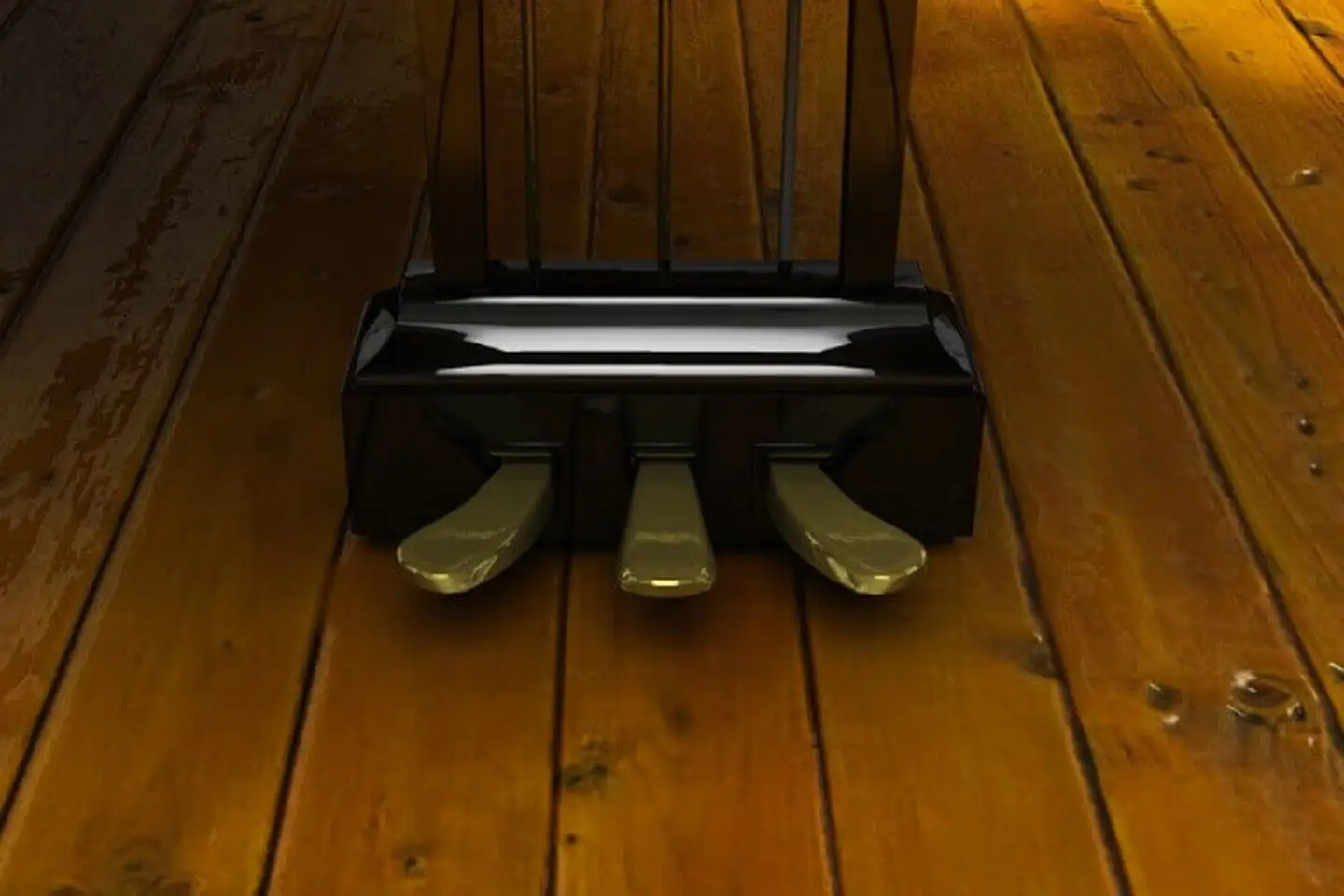
Repedal : Many classical musicians use repedaling to give some kind of a blend effect. We felt that it should be part of this library. Just like on a real piano, this effect is more present in the bass area.
Sostenuto : This is a playing mode that will allow the player to choose which dampers will be held. Any note pressed before pressing the sostenuto pedal will be held until you release the pedal no matter what you play.
Half pedal : This is another playing mode that is used to create a blending effect between chords. It is simply setting the sustain pedal right at the spot where the dampers barely touch the strings thus creating a long release sound full of resonance.
You can assign the different pedal to any controller.
Advanced settings
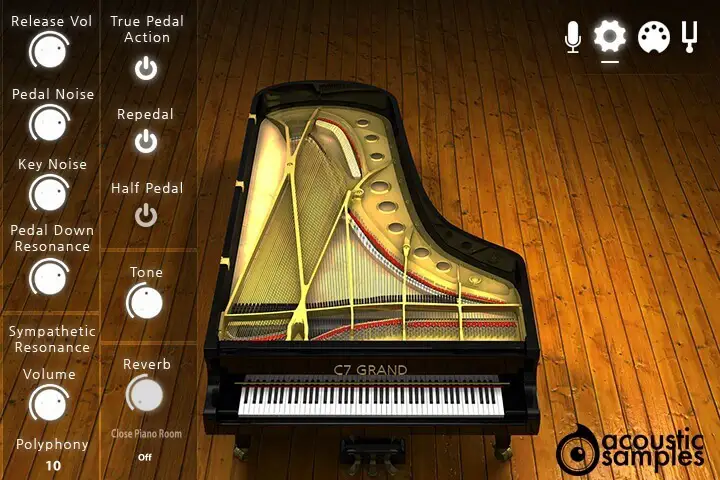
On this panel you have access to many different settings to shape the sound of the piano itself and how it reacts.
This is also where you enable and disable the advanced features like the repedal, half pedal or the sympathetic resonance.
It is also where the reverbs can be tweaked.
More about this
- The Release Vol controls the volume of the sound produced when you release a note,
- The Pedal Noise controls the volume of the sound produced when you press and depress the sustain pedal,
- The Key noise controls the volume of the sound produced by the key itself when you release a note,
- The Pedal down resonance controls the volume of the resonance when the sustain pedal is pressed,
- The Sympathetic Resonance controls the volume and polyphony allowed for the sympathetic resonance effect on pedal up,
- The True Pedal Action enabled the resonance effect even if you press the sustain pedal after the chord,
- The Repedal enabled the repedal feature. It allow the sustain pedal to "retrigger" the notes that did not die since the last pedal release event.
- The Half Pedal enabled the half pedal effect. This allow the use to trigger different release samples when the pedal is half pressed (you need a continuous sustain pedal for it to work).
- The Tone allows you to soften the overall sound of the piano or to make it brighter,
- The Reverb gives you a choice of quality IR based reverbs, as well as the amount of Reverb you want including the dry/wet balance.
MIDI response
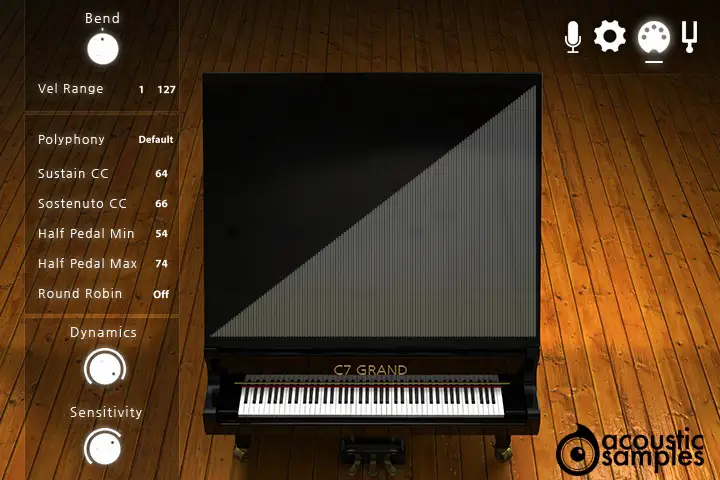
There is also a complete set of tools to tweak the velocity and volume response to make sure it fits your digital piano and your playing style.
More about this
- The Bend controls the MIDI curve, or the MIDI mapping curve, so basically how quickly you will hit the high velocities, you can also draw your velocity response as you like,
- The Vel Range controls both the minimum velocity and the maximum velocity that the library will respond to,
- The Polyphony controls the number of voices allowed to the library. For some older system it is a good way to diminish the CPU usage,
- The Sustain CC is the controller number used for the sustain pedal. By default it is set at 64, but you can use any other controller,
- The Sostenuto CC is the controller number used for the sostenuto pedal. By default it is set at 66, but you can use any other controller,
- The Half Pedal Min and Max define the range for the Half Pedal effect. If the sustain pedal outputs a value between these two values, the samples used for the release will be the Half pedal ones,
- The Round Robin enables the round robin script that will alternatively take the notes next to it and pitch them to get rid of the machine gun effect.
- Dynamics controls the dynamics of the piano. In other works it defines the volume corresponding to the lowest velocity. When set at 100, the volume at the lowest velocity will be 0 and when set at 0, the volume at the lowest velocity will be the same as the volume at the highest velocity.
- The Sensitivity controls the volume curve between the lowest velocity and highest velocity,
Tuning
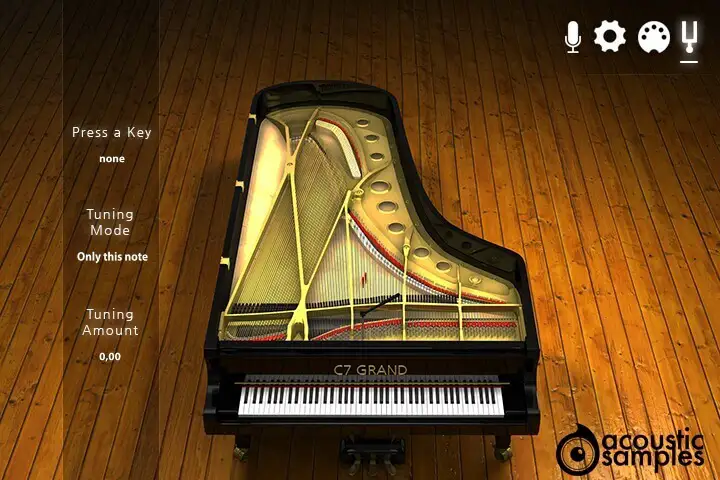
Technical specifications
Sample player
C7 Grand plays in UVI Player (formerly UVI Workstation), UVI's free sample player. We provide it with every library you buy, so you don't need an expensive sampler to use our products. It works on Mac (macOS 10.14 or later, Intel or Apple silicon) and Windows (10 or later), standalone or as a plug-in (VST / VST3 / AU / AAX), in 64-bit only. More about it here.
Copy protection
We use the iLok system to protect our products and you can choose to register your license to your computer or to an iLok dongle. If you decide to use an iLok dongle, both V1 and V2 are compatible with our products. You can activate your license on up to 3 computers or iLok dongles at the same time and you can deactivate one and activate another as many times as you want.
Video tutorials
- Overview & walkthroughyoutu.be/6z83kegHZlo
- Video1youtu.be/6z83kegHZlo