User guide
Urban Drums
Urban Drums is a drum kit mixed from various elements, mixed with synthesized drums samples.
Overview
ACOUSTIC MEETS SYNTH
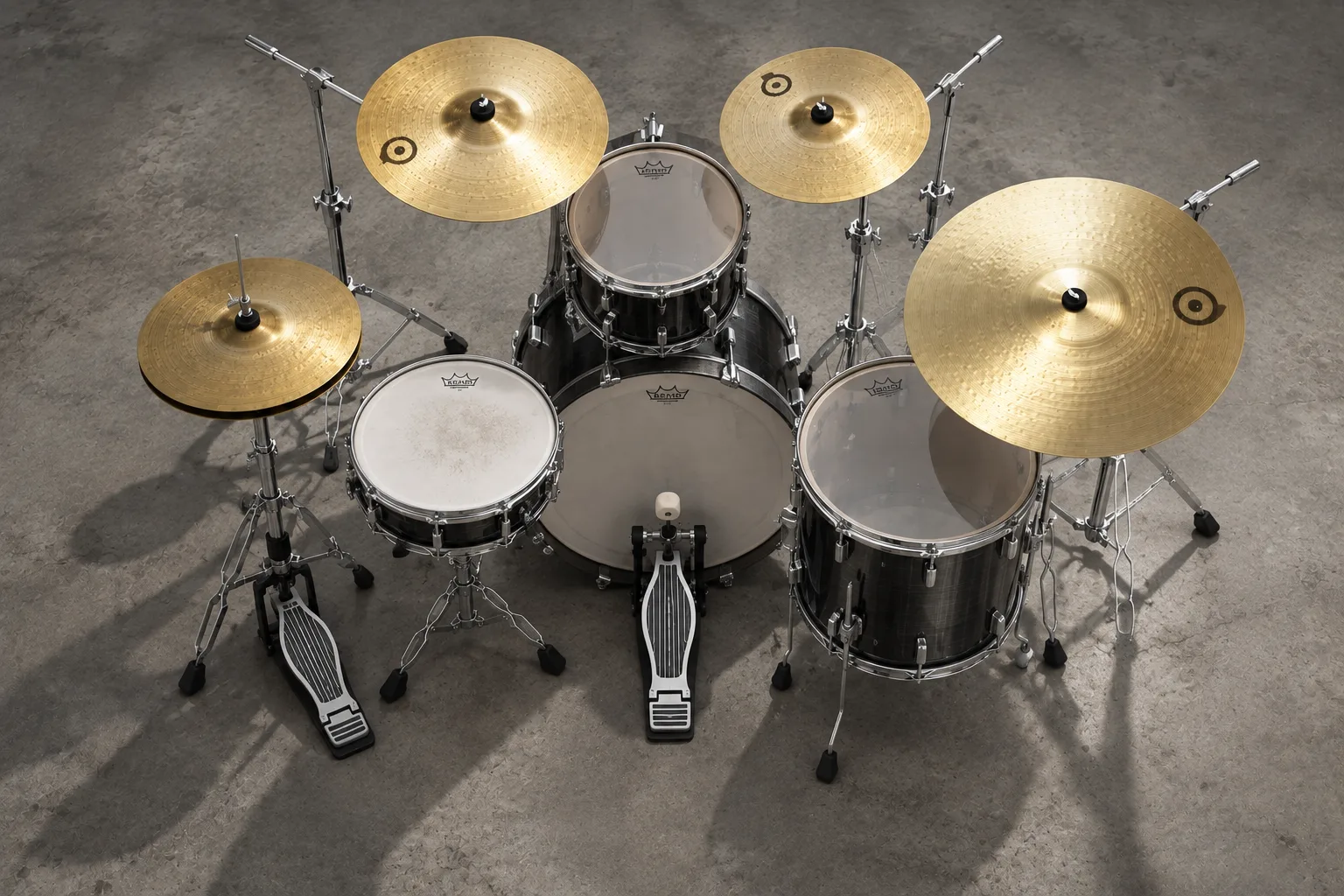
Urban Drums is a drum kit mixed from various elements - a 20" Yamaha bass drum, a 13" Tama Metalworks piccolo snare, 12" and 16" toms, two 14" Zildjian crashes, a 13" Paiste hihat and a 20" Zildjian jazz ride - blended with synthesized drum samples.
Each element was recorded with 3 microphone positions plus its synth layer: around 2014 samples, up to 20 velocity layers and 4 round robins per element.
Interface
Features
A synth layer on every drum
Every acoustic drum comes with a synthesized sample alongside its three microphones, so you can push the kit from natural to electronic, element by element.
The snare has 4 different hit positions plus an auto roll script, and the hihat has 5 levels of openness, triggered from one key by any controller, with an automatic closing sound.
Mix mics and synth
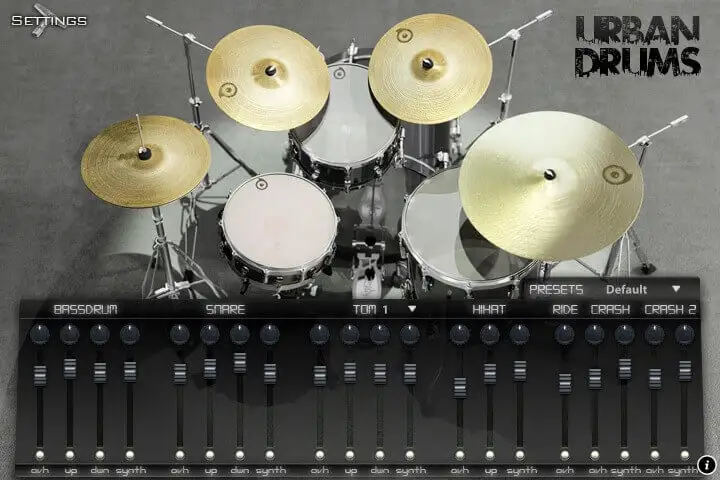
The default interface is a mixer for every channel: overhead, up and down microphones plus the synth sample for each drum, each with its own pan, volume and mute.
Click a drum on the picture to jump to it, or start from one of the presets. Stereo and multi-output versions are included for mixing in your DAW.
More about this
Mixer
Channels: ovh, up, down and synth for each drum (fewer on the cymbals), each with pan, volume and mute.
Select from the picture: click the drums on the interface to choose what you are adjusting.
Presets: a set of presets is available from the menu above the mixer.
Settings
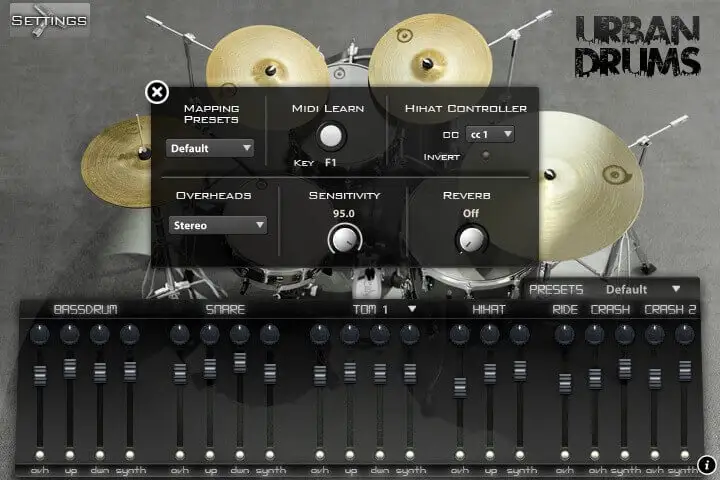
The settings panel changes most aspects of the library. Pick a mapping preset for your e-kit or MIDI files, or remap any element to any key with MIDI Learn.
From the same panel you set the hihat controller, mono or stereo overheads, the velocity sensitivity and the amount of reverb. Right hand and left hand mappings keep it playable from a keyboard.
More about this
Settings
Mapping presets: presets for the most popular drum formats (GM, V-Drums, IMAP, NSKIT) plus the default one, or build your own.
MIDI Learn: press the key of the element you want to move, click MIDI Learn, then press the target key.
Hihat controller: the hihat is played from one key (C#2 by default) and the sample depends on the value of the chosen controller, just like a real hihat. The controller can be inverted.
Overheads: sets the overhead microphone position to mono or stereo.
Sensitivity: sets the minimum volume for velocity 1, from a narrow to the full dynamic range.
Reverb: the amount of convolution reverb applied to the whole kit.
Technical specifications
Sample player
Urban Drums plays in UVI Player (formerly UVI Workstation), UVI's free sample player. We provide it with every library you buy, so you don't need an expensive sampler to use our products. It works on Mac (macOS 10.14 or later, Intel or Apple silicon) and Windows (10 or later), standalone or as a plug-in (VST / VST3 / AU / AAX), in 64-bit only. More about it here.
Copy protection
We use the iLok system to protect our products and you can choose to register your license to your computer or to an iLok dongle. If you decide to use an iLok dongle, both V1 and V2 are compatible with our products. You can activate your license on up to 3 computers or iLok dongles at the same time and you can deactivate one and activate another as many times as you want.
Video tutorials
- Overview & walkthroughyoutu.be/u5ryCHkEkRw
- Video1youtu.be/u5ryCHkEkRw