
User guide
DrumTasteBrush
DrumTasteBrush is a Brush Kit featuring a mix of world-class instruments, recorded with up to 3 mic positions.
Overview
A KIT FOR BRUSHES
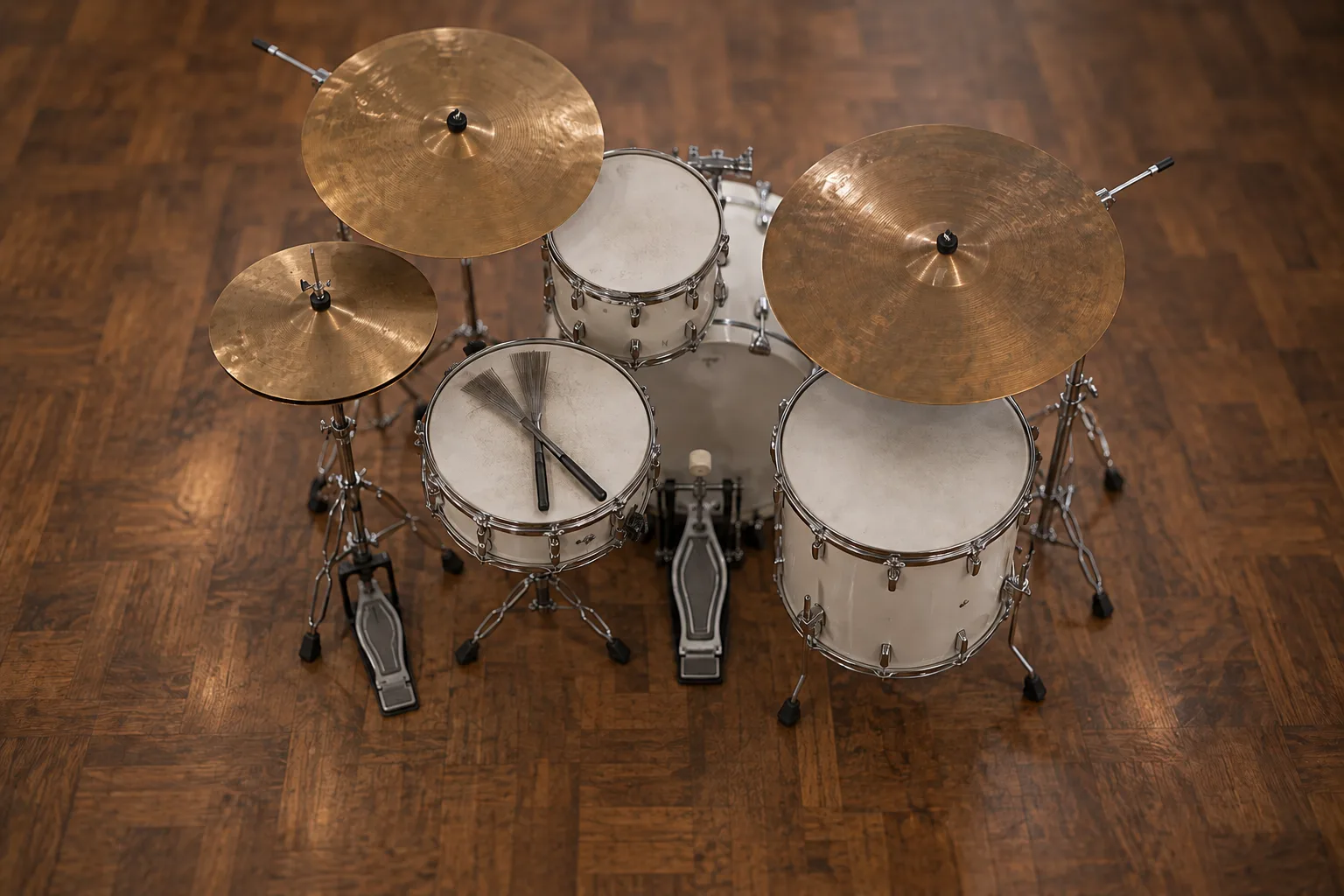
DrumTasteBrush is a brush kit built from a mix of instruments: a 22" Yamaha Stage Custom bass drum and toms, a 14" Pearl M1440 piccolo snare, two 22" Istanbul rides and a 13" Paiste hihat.
It is sampled in depth: around 3382 samples, with 3 microphone positions on every drum (2 on the rides), about 20 velocity layers and 4 round robins per drum, and 6 velocity layers for the two rides.
Interface
Features
Three mics on every drum
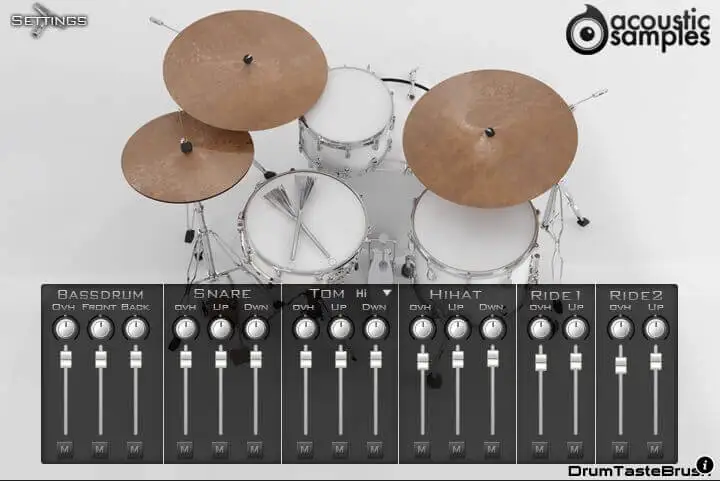
Every drum was recorded with 3 microphone positions, and the default interface is a mixer for all of them: set the pan and volume of each one, or mute it, drum by drum.
Click a drum on the picture to jump to it while you mix. Stereo and multi-output versions are included, so the kit can go straight onto separate tracks in your DAW.
More about this
Mixer
Microphones: each element has its own microphone channels - overhead, up and down for most drums, overhead, front and back for the bass drum - each with pan, volume and mute.
Select from the picture: click the drums on the interface to choose what you are adjusting.
The snare, the brushes and the hihat
The piccolo snare is sampled with 6 different hits, and the brushes with 4 actions: circle attack, circle soft, attack and long. A script makes them easy to play from a keyboard or an e-drum, with right hand and left hand mappings.
The Paiste hihat has 5 levels of openness, choke and foot pedal samples, and closes automatically.
More about this
The kit
- 22" Yamaha Stage Custom bass drum: 3 mic positions, 4 round robins, 186 samples.
- 14" Pearl M1440 piccolo snare: 3 mic positions, 4 round robins, 6 hits (center L, center R, center L stay, center R stay, rimshot, soft), 1272 samples.
- Brushes: 3 mic positions, 4 round robins, 4 actions (circle attack, circle soft, attack, long), 345 samples.
- 10" Yamaha Stage Custom hi tom: 3 mic positions, 4 round robins, hard and soft, 363 samples.
- 14" Yamaha Stage Custom low tom: 3 mic positions, 4 round robins, 363 samples.
- 22" Istanbul Turkish ride: 2 mic positions, 4 round robins, 4 hits, 68 samples.
- 22" Istanbul Agop ride: 2 mic positions, 4 round robins, 56 samples.
- 13" Paiste hihat: 3 mic positions, 5 openness levels plus choke samples, 4 round robins, foot pedal samples, 717 samples.
Settings
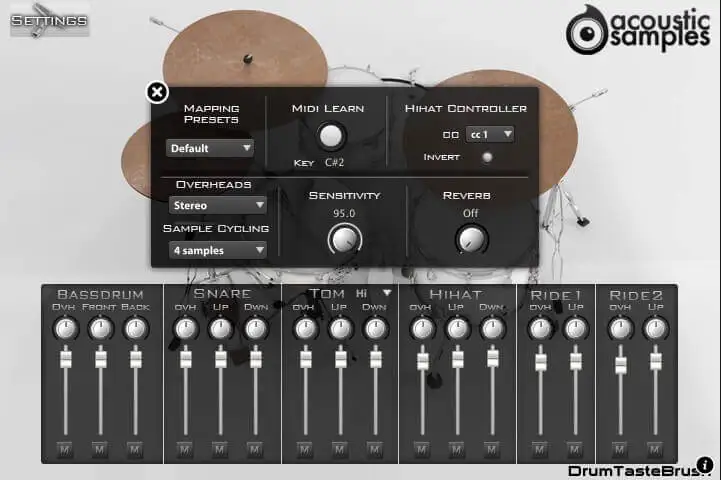
The settings panel changes most aspects of the library. Pick a mapping preset for your e-kit or MIDI files, or remap any element to any key with MIDI Learn.
From the same panel you set the hihat controller, mono or stereo overheads, how the round robins cycle, the velocity sensitivity and the amount of reverb.
More about this
Settings
Mapping presets: presets for the most popular drum formats (GM, V-Drums, IMAP, NSKIT) plus the default one, or build your own.
MIDI Learn: press the key of the element you want to move, click MIDI Learn, then press the target key.
Hihat controller: the hihat is played from one key (C#2 by default) and the sample depends on the value of the chosen controller, just like a real hihat. The controller can be inverted.
Overheads: sets the overhead microphone position to mono or stereo.
Sample cycling: there are 4 different samples for each velocity (round robins); choose how they are played - random, in a sequence of 4 or 3, or without cycling.
Sensitivity: sets the minimum volume for velocity 1, from a narrow to the full dynamic range.
Reverb: the amount of convolution reverb applied to the whole kit.
Technical specifications
Sample player
DrumTasteBrush plays in UVI Player (formerly UVI Workstation), UVI's free sample player. We provide it with every library you buy, so you don't need an expensive sampler to use our products. It works on Mac (macOS 10.14 or later, Intel or Apple silicon) and Windows (10 or later), standalone or as a plug-in (VST / VST3 / AU / AAX), in 64-bit only. More about it here.
Copy protection
We use the iLok system to protect our products and you can choose to register your license to your computer or to an iLok dongle. If you decide to use an iLok dongle, both V1 and V2 are compatible with our products. You can activate your license on up to 3 computers or iLok dongles at the same time and you can deactivate one and activate another as many times as you want.