
User guide
AcademicGrand
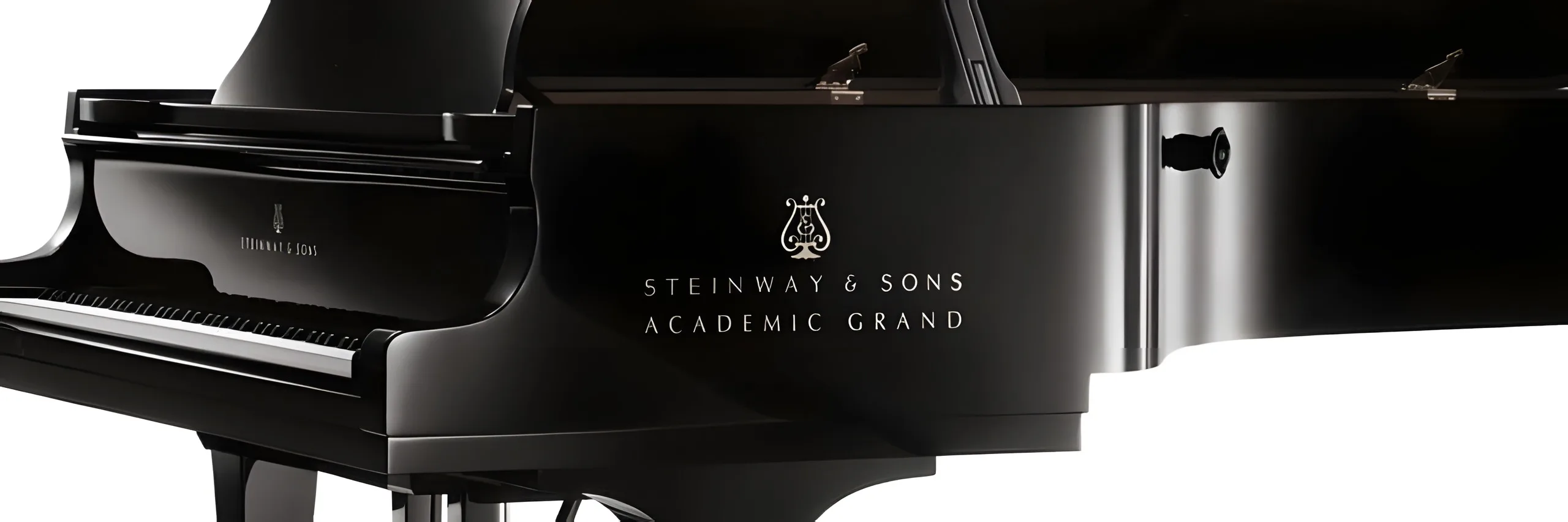
The AcademicGrand is a beautiful 1963 Steinway Model D, which has seen countless recitals and concerts over the decades.
Overview
AN AMERICAN STEINWAY D
The AcademicGrand is a 1963 Steinway Model D concert grand that served for decades as the University of Arkansas' primary concert instrument, through countless recitals and concerts, inspiring hundreds of students and visitors along the way. Well maintained and cared for, it has a unique history and the classic American Steinway sound. The library was made in collaboration with Lance Herring.
Around 816 samples capture it, with 4 velocity layers for the sustain recorded both pedal up and pedal down, 4 velocities for the releases, pedal down resonance, key noises, and sustain pedal noises that are triggered automatically.
Interface
Features
Ready to play
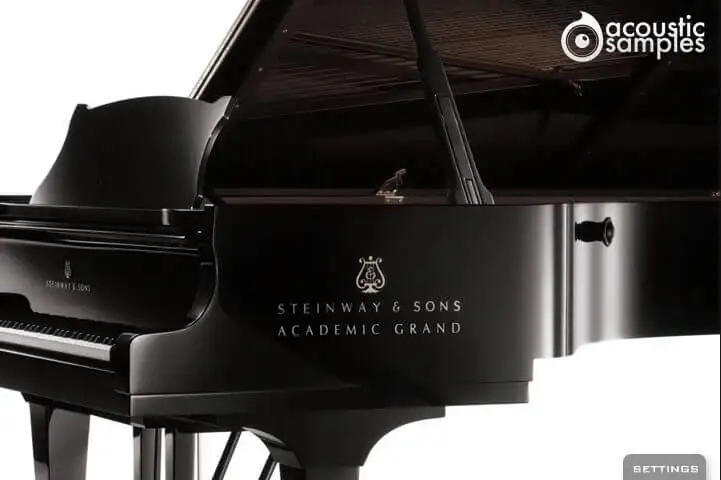
The default interface is simply the piano: every parameter has already been set the best possible way, so you can start playing straight away.
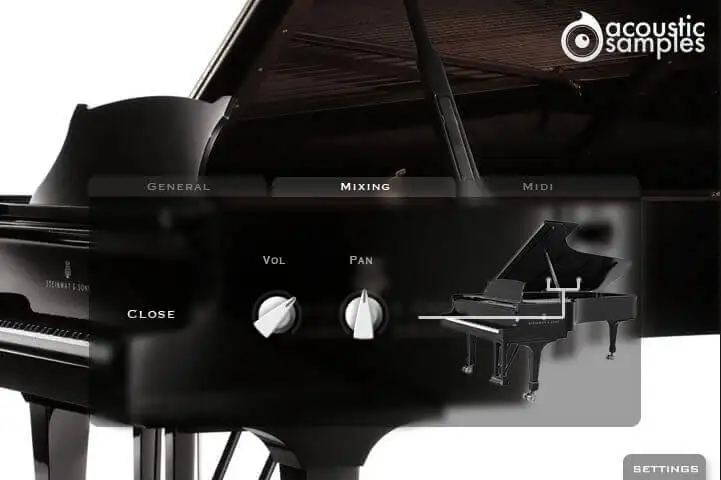
If you want to adjust something, click Settings to open three panels - General, Mixing and MIDI. On this library the Mixing panel is kept simple, with just the volume and the pan.
More about this
Mixing panel
Vol: the volume of the piano
Pan: the pan position of the piano
Noises, tone and reverb
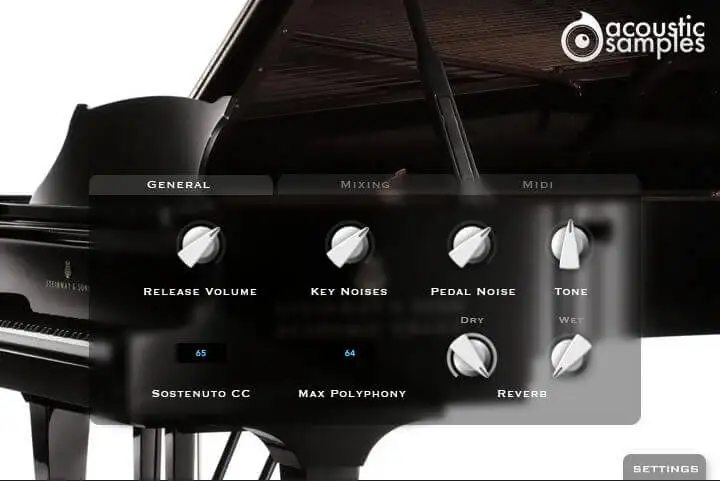
The General panel changes most aspects of the sound. The release, key and pedal noises can each be set to taste - the pedal noise in particular adds a lot to the realism.
A Tone control makes the piano brighter or darker, and a convolution reverb has separate dry and wet levels. The sostenuto pedal and the polyphony are set here too.
More about this
General panel
Release Volume: the sound produced when you release a key while a note is playing
Key Noises: the sound produced when you release a key and no corresponding sustain was playing
Pedal Noise: the sound of the pedal being pressed or released
Tone: a simple way to make the piano brighter or darker
Sostenuto CC: the controller for the sostenuto, or middle, pedal, which sustains selected notes while other notes stay unaffected
Max Polyphony: lower it to be lighter on CPU, for example with a small buffer size
Reverb: a convolution reverb, with the Dry and Wet levels set separately
Tuned to your keyboard
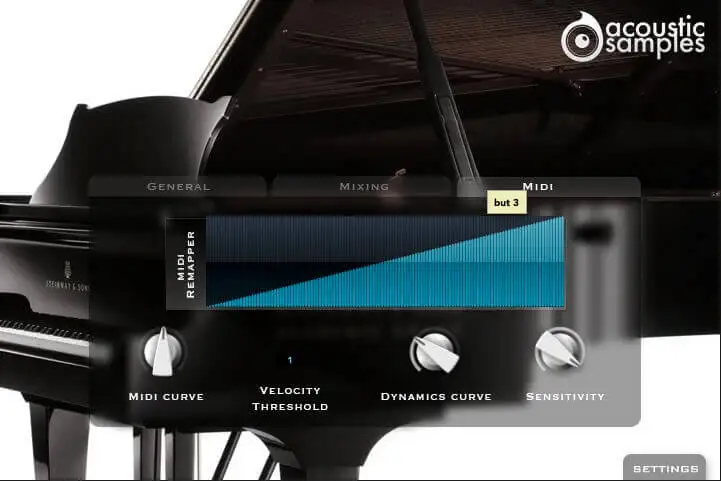
The MIDI panel adapts the library to your controller and your playing style. A MIDI remapper lets you assign any input velocity to any output velocity, and a curve shapes it.
A velocity threshold sets the minimum velocity needed to hear a note, as on a real piano, while the dynamics curve and the sensitivity set how the volume follows your playing.
More about this
MIDI panel
MIDI Remapper: assigns any input velocity to any output velocity
Midi Curve: gives the remapper a concave or convex shape, changing the MIDI sensitivity
Velocity Threshold: the minimum velocity you have to play to hear the piano, as on a real piano
Dynamics Curve: the volume curve of the library
Sensitivity: sets the minimum volume for velocity 1, from a narrow to the full dynamic range
Technical specifications
Sample player
AcademicGrand plays in UVI Player (formerly UVI Workstation), UVI's free sample player. We provide it with every library you buy, so you don't need an expensive sampler to use our products. It works on Mac (macOS 10.14 or later, Intel or Apple silicon) and Windows (10 or later), standalone or as a plug-in (VST / VST3 / AU / AAX), in 64-bit only. More about it here.
Copy protection
We use the iLok system to protect our products and you can choose to register your license to your computer or to an iLok dongle. If you decide to use an iLok dongle, both V1 and V2 are compatible with our products. You can activate your license on up to 3 computers or iLok dongles at the same time and you can deactivate one and activate another as many times as you want.
Video tutorials
- Overview & walkthroughyoutu.be/m7KesUNuZCM
- Video1youtu.be/m7KesUNuZCM
- Video2youtu.be/4VpDS6aaAZ4